
If you imported a group of unsubscribed or bounced contacts, you will need to manually unsubscribe them after the import. If you haven't yet imported your unsubscribed contacts, you will first need to associate them with an attribute in the import file in order to unsubscribe them in bulk later. See how in this article.
Once your unsubscribed contacts have been imported with an attribute, filter your contact list using the created segment "unsubscribe" or "bounces." You will then see a list of your imported contacts with the same attribute.
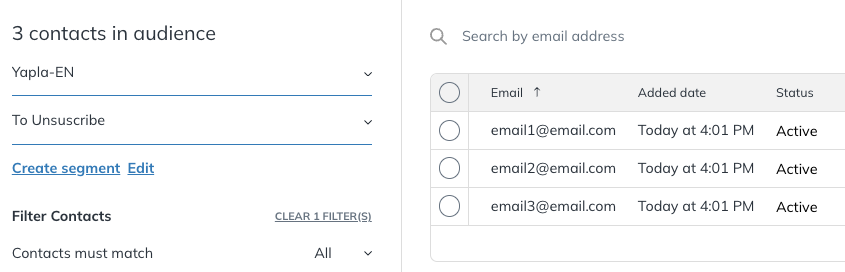
To change their status from Active to Unsubscribed, select all contacts in the list, click Action at the bottom, then select Unsubscribe.
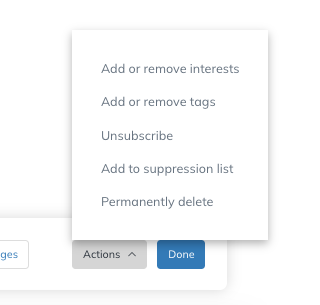
Your contacts now have the status "Unsubscribed".
⚠️ Keep in mind that if your list shows 100 contacts per page and spans 6 pages, you’ll need to repeat this step for each page.
About "Bounced" contacts
For the same contact list, you must repeat the process using a new attribute that matches your imported file, e.g., "bounced".
⚠️ Some contacts in the bounced list may be automatically flagged as invalid during import and won’t be uploaded. The rest must still be manually unsubscribed.
Good to know
It’s important to repeat the import process for each of your contact lists. For instance, if you're sending bilingual newsletters, you may have different lists for each language.
If you run into any issues importing contacts or want more help, feel free to contact our support team at support@yapla.com.