
The suppression list groups the email addresses and domains that must no longer receive your sends. Any contact matching an address or domain on this list is excluded from the send list of all your email types.
View the suppression list
In Yapla Newsletters, go to Audience > Suppression List. The page shows each address or domain in the Email / Domain column, with its origin in the Source column. The Exports menu, in the top right, lets you export the list.
Add addresses or domains
- Under Audience > Suppression List, click the (+) in the top right.
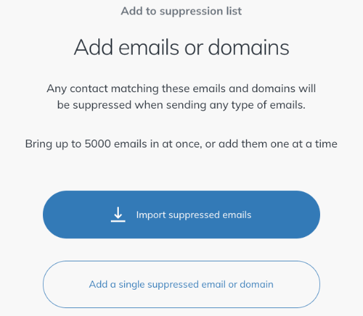
- Choose how to add them:
- Import suppressed emails: adds a batch of addresses, up to 5,000 emails at a time.
- Add a single suppressed email or domain: adds one address or domain at a time.
Add existing contacts to the suppression list
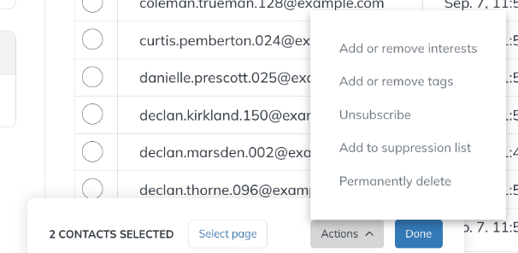
- Go to Audience > Contacts and select the relevant list in the left-hand column.
- Check the circle to the left of the email addresses you want.
- In the menu that appears at the bottom of the page, open Actions and select Add to suppression list.
Remove an address from the suppression list
Under Audience > Suppression List, click Delete to the right of the address or domain to remove.
Only remove an address from the suppression list if the person has consented again to receive your emails.