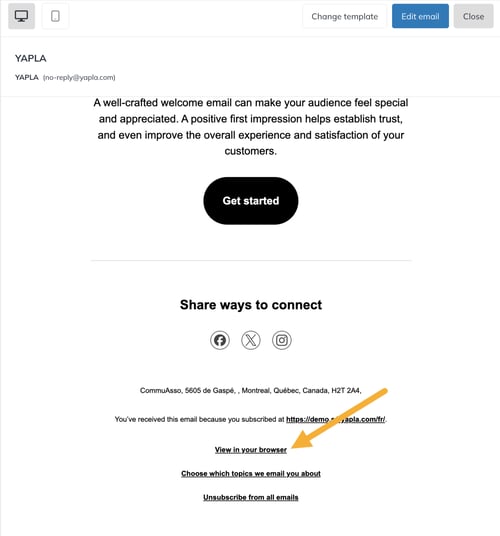
Every newsletter can be viewed in a browser, like a web page. Just add a view link to it: you then get an address (URL) to share on social media, on your website or in another email.
Add the view-in-browser link
- Go to Campaigns > Emails, click Open to the right of the campaign, then Edit email.
- At the bottom of the email, add a short text, for example View in browser.
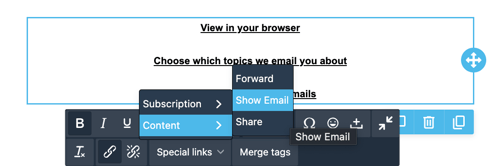
- Select this text, then in the toolbar open Special Links > Content and choose Show email.
- Click Save, then Close.
Add this link to your templates so it's included in all your future newsletters. It also helps recipients whose email app doesn't display the email properly.
Get the newsletter URL
- In the campaign preview, click the link you just added.
- The newsletter opens in a new browser tab. Copy the address shown in the browser bar.
- Share it or link it to a button on your website.