
Available with the Essentials plan and higher.
Each page of your website is organized in rows, and each row in one or more zones that hold a module. A page's Structure tab lets you reorganize these zones: add rows, move modules or group rows under the same background.
In Website, open your website, click the Pages tile, open a page, then the Structure tab. The Modes menu, on the right, offers three working modes.
Module management
This is the default mode. Click a zone to choose or configure its module.
Add, delete or resize rows
Click Edit page structure. There you can insert rows, delete them and change the width of the zones in a row, for example 100%, 50/50 or 33/66.
This structure is shared by all the pages of the website. If your website uses master pages, you are editing the master page structure. Deleting a row erases the content of its zones on every page: add new rows rather than changing existing ones. See How the master pages work.
Move a module
Choose the Moving modules mode. A move icon appears next to each zone: drag the module to another zone.
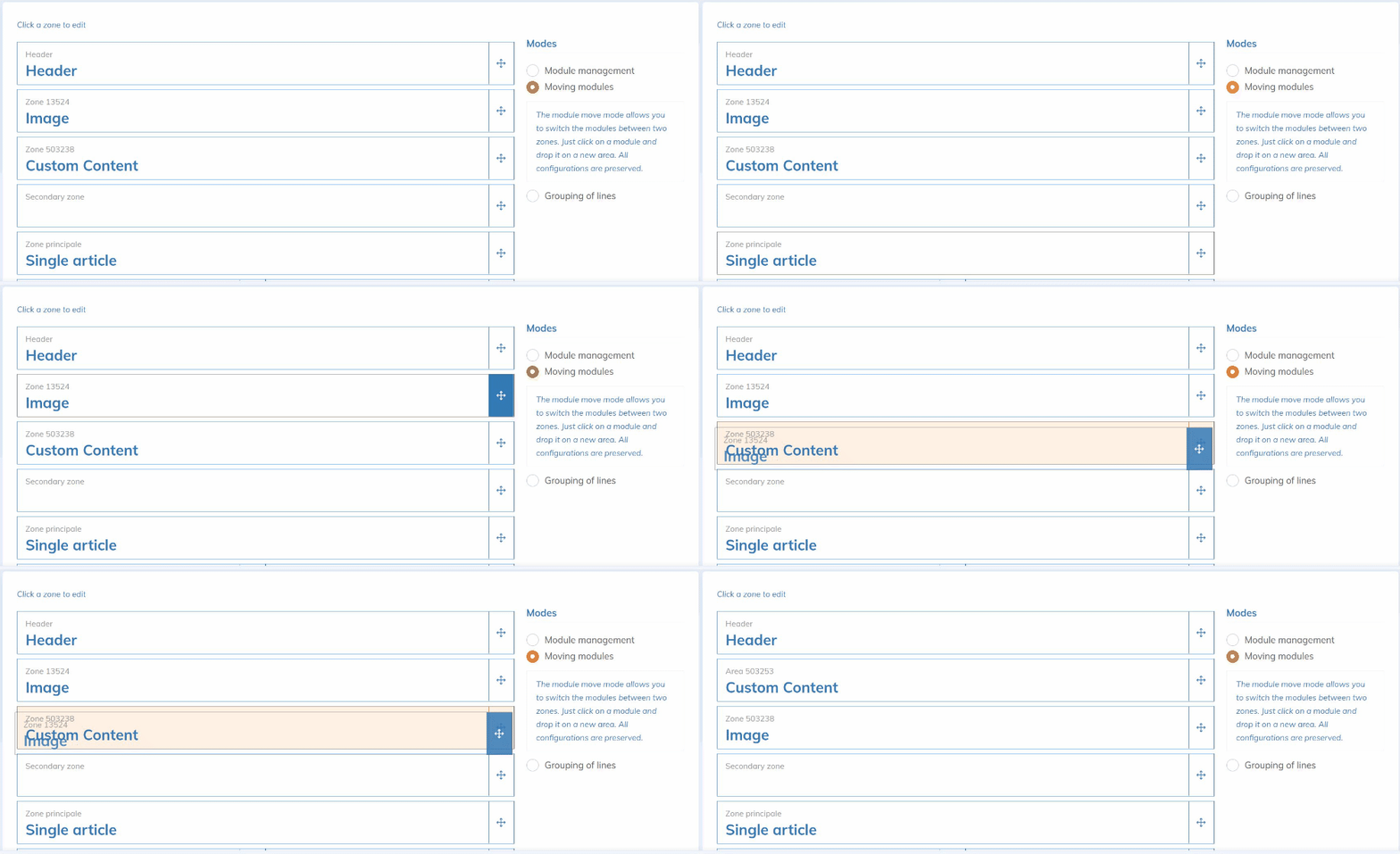
The module moves, not the zone. An empty zone therefore cannot be moved.
Group rows
Choose the Grouping of lines mode, select neighbouring rows, then click Group lines. Grouped rows can share the same background image or colour. To separate them, select the group and click Ungroup lines.
Click Save to keep your changes.