
To receive payments in Yapla, you need to authenticate your association's details. This authentication procedure is required by law and helps prevent money laundering and the financing of terrorism, among other things.
Any person or organization receiving and processing payments via the Internet must prove their identity. This is why certain documents such as social security numbers and driver's license photos are required. This information is, of course, secure.
In short, authentication of your account is necessary for the following reasons:
- to comply with Canadian and international laws,
- to enable us to verify the identity of the persons administering the account,
- ensure the security of your payments,
- to enable us to pay you the money collected in your Yapla account every 7 days.
⚠️ You may be asked for information more than once over time, depending on the use of your account and the documents you provide. An unauthenticated Yapla account may be suspended from receiving payments after a certain period of time. In addition, we are unable to return any money collected to you without valid authentication.
How do I know if my account requires authentication?
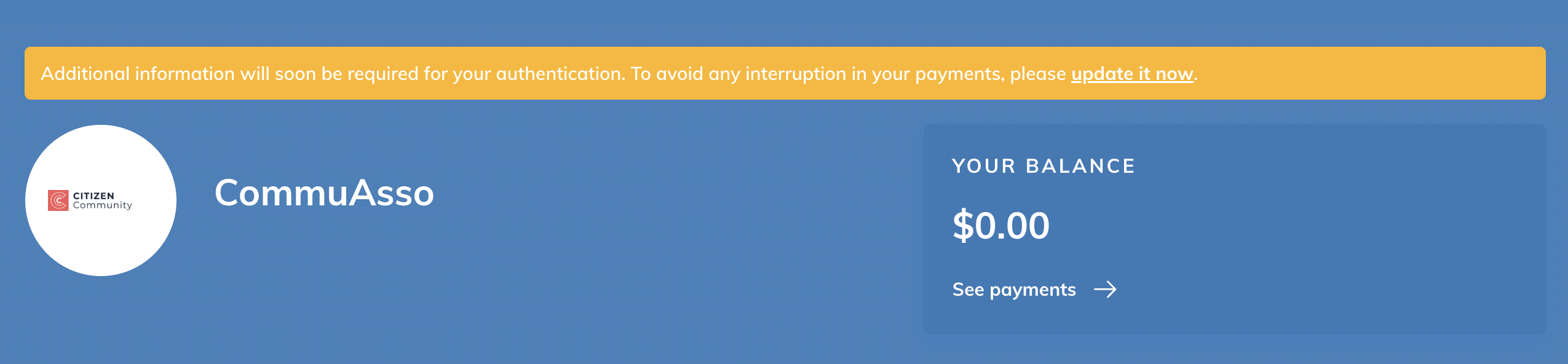
You are automatically notified via a warning banner if your authentication request is validated or if your account is restricted by our partner due to lack of valid authentication. In your Yapla dashboard, a warning banner also appears if you have not started the authentication process or if authentication is incomplete:
How to authenticate your Yapla account
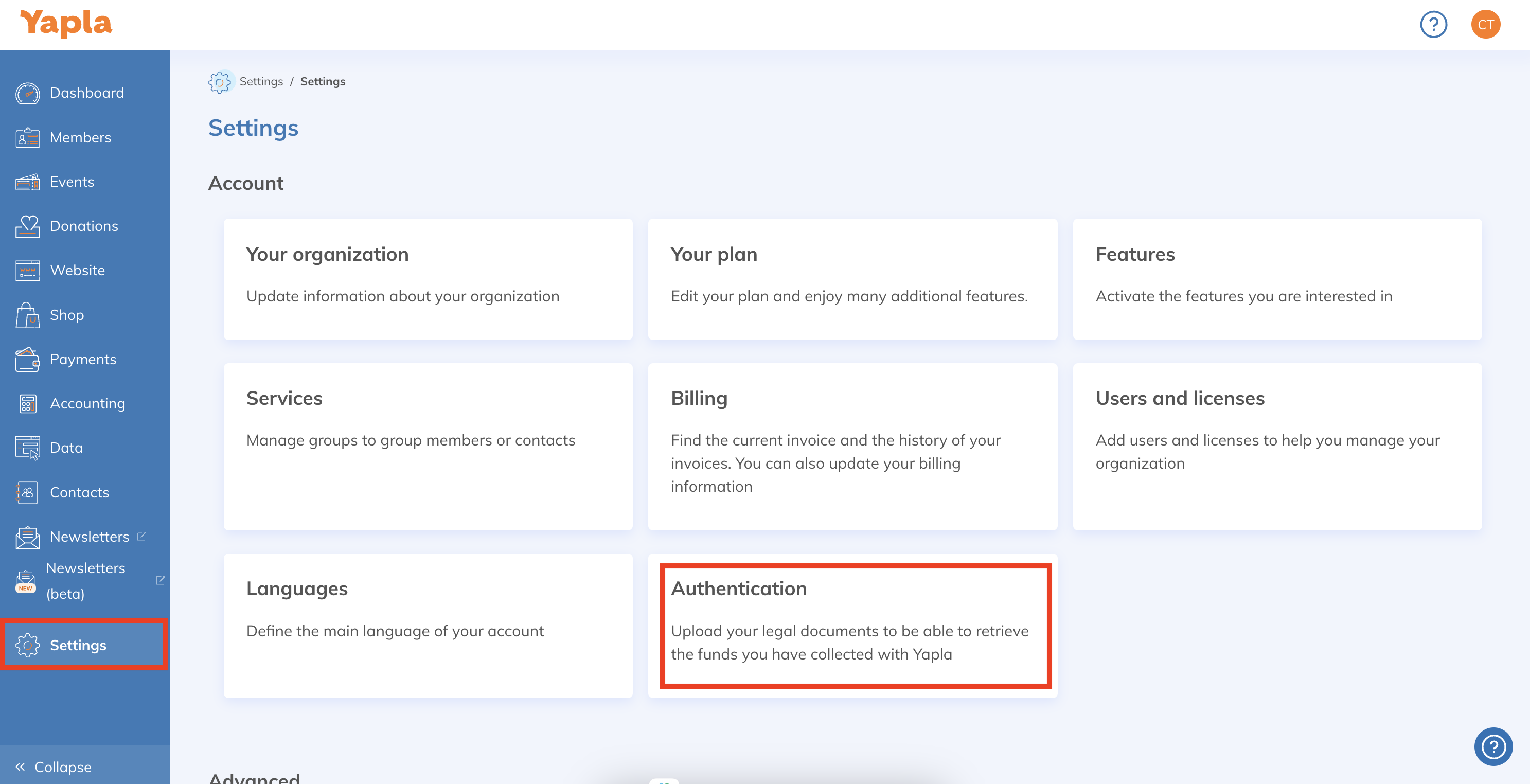
- Go to your account and click on Settings at the bottom of the left-hand sidebar.
- Select the Authentication tile.
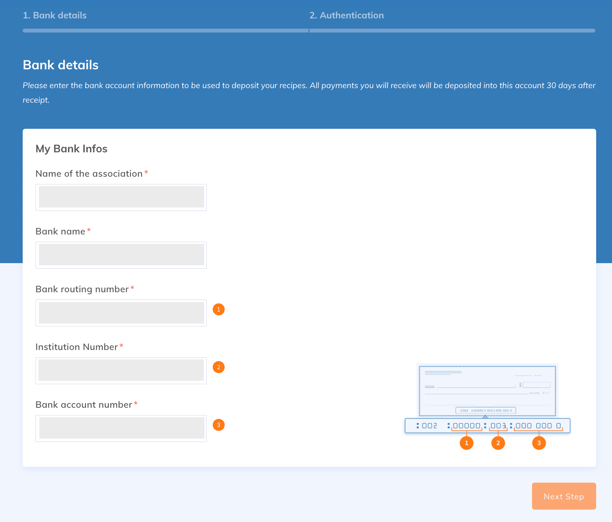
Step 1:
Enter bank details: Enter the details of the bank account into which you wish to pay the funds collected in Yapla. Click on "Next step" once you've completed this step.
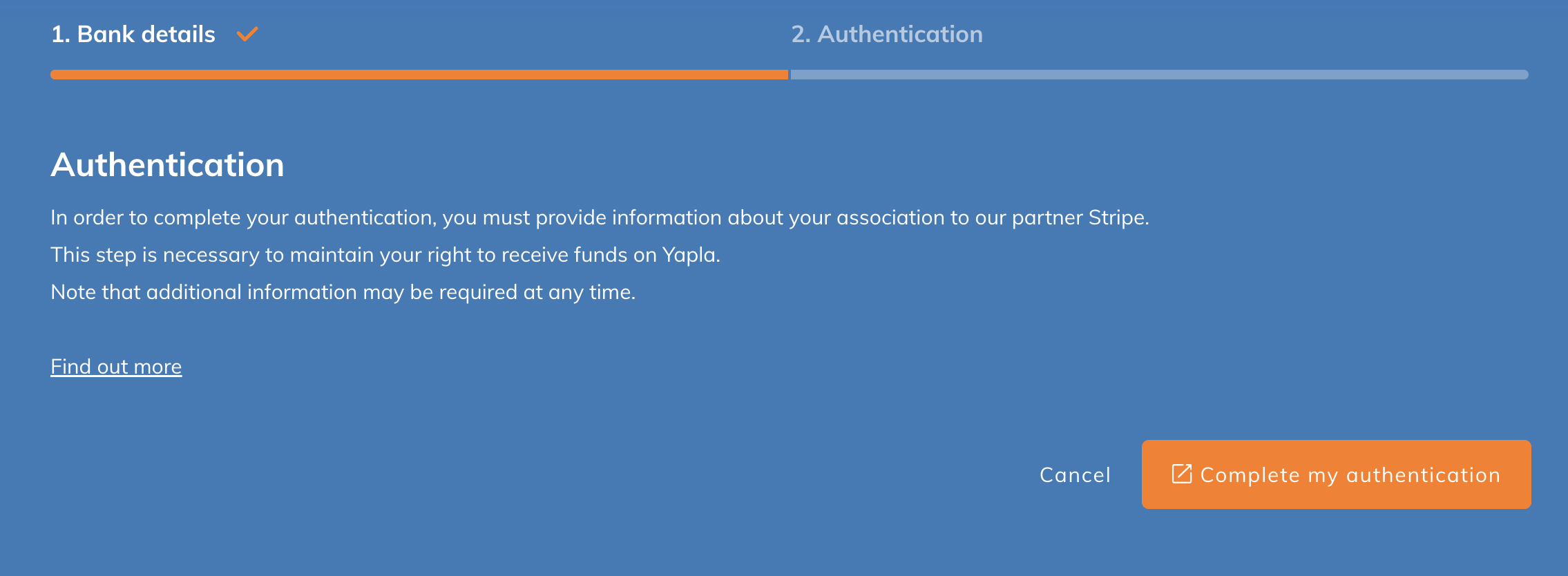
Step 2:
Additional information (via our partner Stripe): to complete authentication, click on Complete my authentication to provide the necessary additional information. You will be momentarily redirected to our partner Stripe's platform.
New information required may include:
- Phone numbers and functions of your association's representatives.
- Note regarding the phone number used for your authentication: Stripe may display the phone number provided on credit card payment labels. To hide this phone number, return to Settings > Authentication > Update My Authentication and click Edit in the Public Information section. Disable the Show phone number on receipts and invoice options.
- Names and e-mails of ALL board members and owners. Identification may be required.
- Specific tax numbers for charities and corporations.
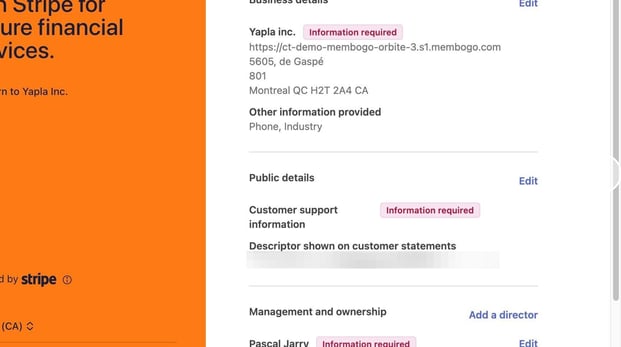
⚠️ Be sure to update this information whenever there is a change in your board members or administration.
FAQ
Validation of the authentication is managed by the Stripe Connect Onboarding platform. Minimal information is required to pass a first level of authentication and start collecting and receiving money.
However, authentication is progressive and you will be asked to return to the external platform to fill in additional information.
Warning, until your account is completely validated and verified, your account may be blocked and you will no longer be able to collect and receive money. Be aware of messages on the Yapla dashboard asking you to change your authentication.

Yes, you can start collecting memberships, donations, etc. with Yapla, even if your association is not yet authenticated.
However, we cannot transfer your revenue to your bank account until your authentication is validated. Authenticate your account to retrieve your revenue .

Legally, you risk nothing, but your account becomes limited.
You cannot receive your receipts on your bank account, nor issue your tax receipts.
However, if you do not fill in the authentication information requested within 15 days after starting the process, transactions will be impossible on your site and in Yapla.
Even if you are not the association's agent, you have the option to complete the authentication request in the place of the agent.
To do so, you will need to be in possession of the list of requested information and enter the information relating to the association's agent. However, identification documents may be required. You will therefore need to be able to provide a scan of it.
We understand perfectly. This information is used to verify your identity to prevent fraud or money laundering. If you are uncomfortable with sharing this information, you can fill in only the last 4 digits of the number.
In order for your authentication to be validated, you must have an account in the name of your association. You can therefore under no circumstances use another bank account other than that of the association.
The authentication of your association is validated and verified by Stripe. Once the authentication is complete, Stripe may ask to update information or documents if they are coming to an end. If this is the case, you will be notified of the update via your dashboard on Yapla.