A webhook is used to trigger an IT alert when certain conditions are met and sent to another system. This allows two platforms to be automatically synchronized, such as automatically syncing information from your donation campaigns to your organization's external CRM.
Here are the available triggers:
-
New donation
-
When a new donation is made.
-
-
Donation modification
-
When a donation is modified, for example, a change in payment status.
-
-
New donor
-
When a new person makes a donation.
-
-
Donor information modification
-
When a donor's information is modified by the donor themselves or by the administration.
-
-
New participant (P2P campaigns)
-
When a new participant is registered in a P2P donation campaign. To learn more about P2P campaigns, see this article.
-
-
Participant modification (P2P campaigns)
-
When the participant's profile is modified by the participant themselves or by the administration.
-
Configuring a webhook
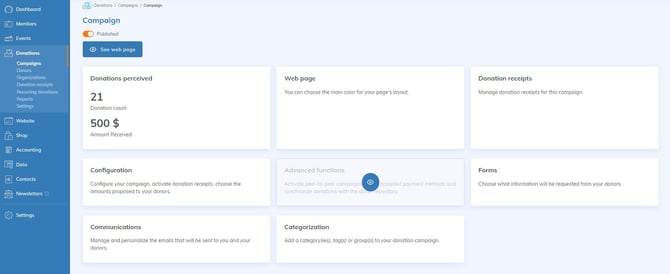
Go to Donations > Campaign > My Campaign > Advanced Functions > Webhooks or Donations > Settings > Settings > Webhooks.
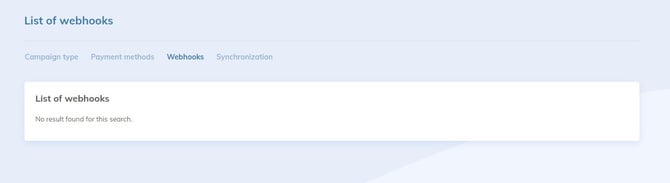
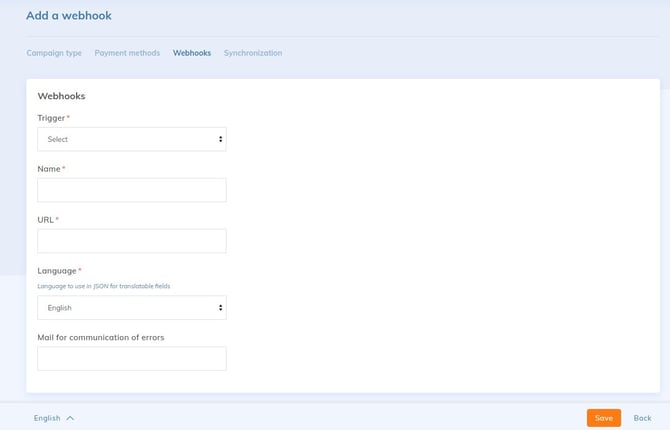
Click on Add a webhook and:
- Select the trigger condition.
- Name the webhook.
- Enter the URL where to indicate that the condition has been fulfilled.
- This URL corresponds to the place where the data should be sent (external system).
- Select the language.
- Provide an email address for error report communication, then save.