
If you have an Plus plan (or higher), you can create your own tickets, either by duplicating the tickets found in the native documents, customizing them, or starting from your own design.
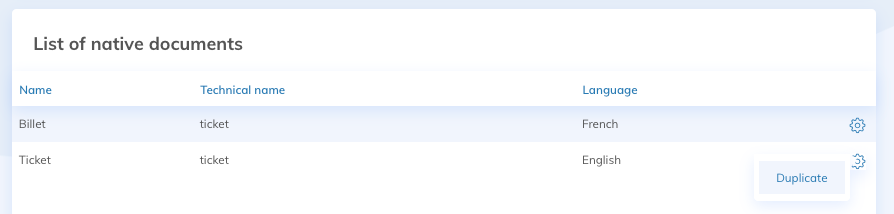
To create your own tickets, click on the Documents tile in your event. Then duplicate the existing ticket via the action on the right or click on Add Document.
You can enter whatever you want as title and technical name. The document type must be Custom Content and the context must be Unitary. You can select the orientation of your choice, depending on your layout. If your site is bilingual, you will need to create 2 documents, for the 2 communications (French and English).
Also make sure that the dynamic keywords are in place, especially the barcode if you want to scan the tickets. You'll be able to register your event participants by scanning their tickets via the Yapla Companion application.
Once your documents are created, you can attach them to your communications.
To go further
Using the Yapla Companion mobile application [Guide]
Generate tickets for your events