
Customize the payment method for an event
From the Premium package, it is possible to precise the payment method for an event even if it is already launched.
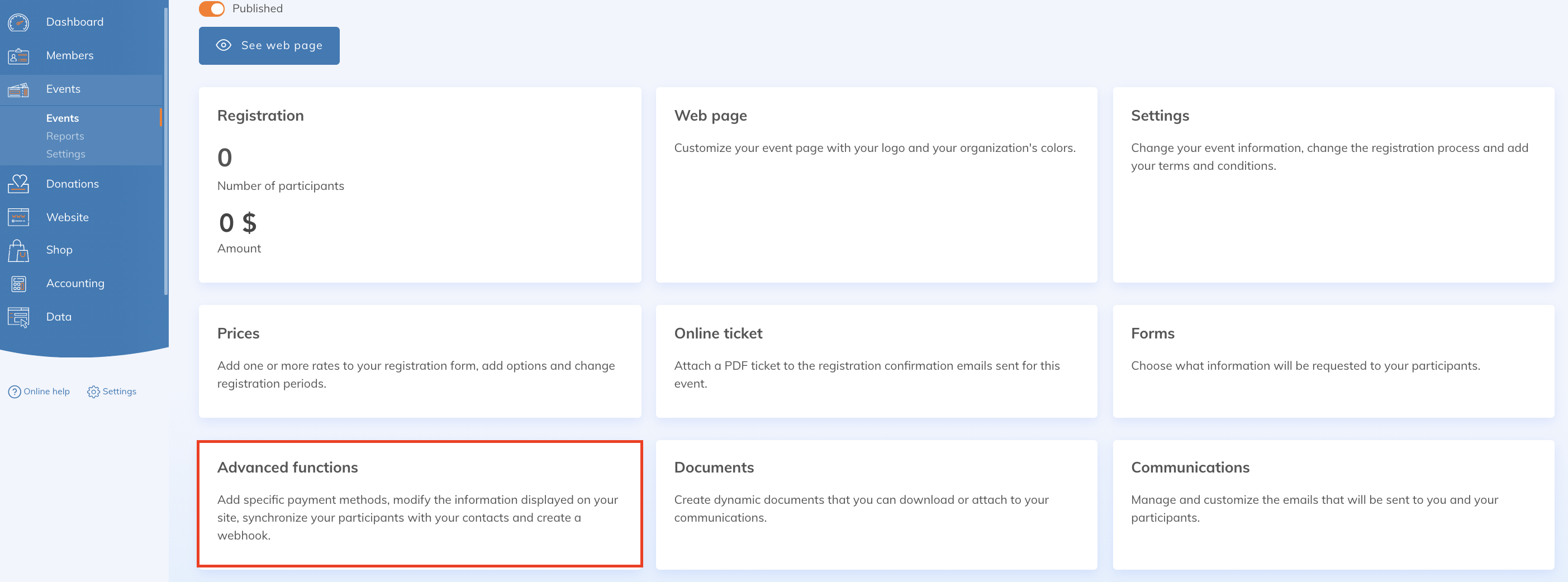
To do so, go to the advanced settings of your event to make the desired configurations:
Then "Specify the payment methods accepted for this event"
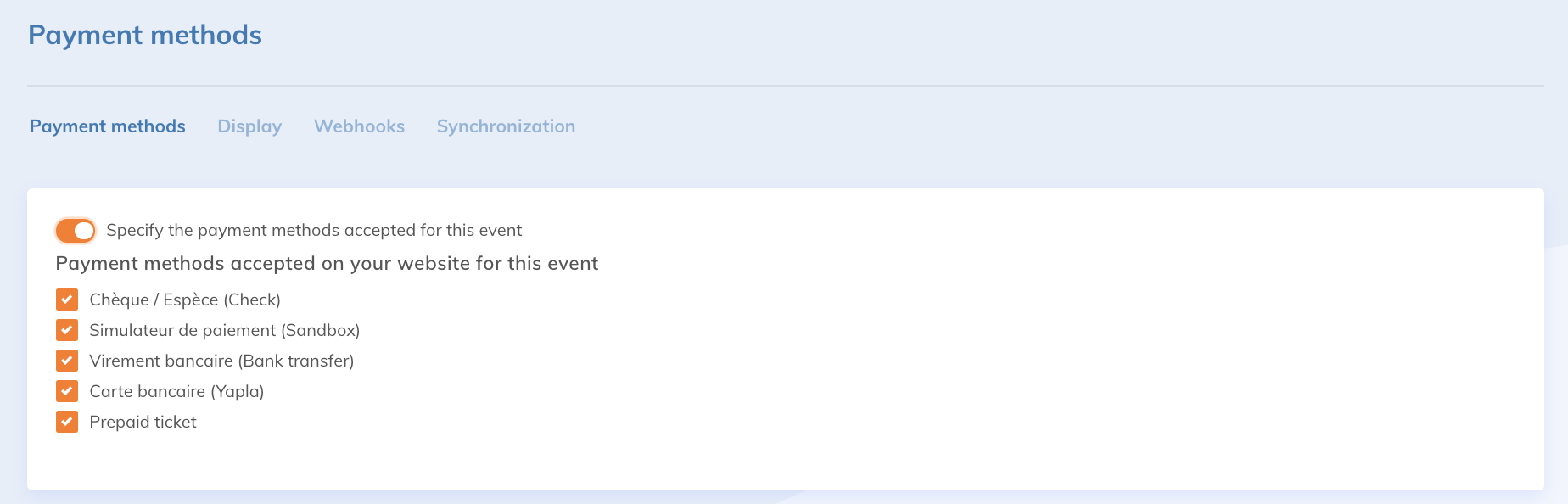
This way, you can check the payment methods allowed for this event.
You may also be interested in this article: Add a webhook to synchronize an organization's events with a software and Yapla
The Synchronization tab allows you to configure the synchronization of your contacts with the registrants of your event. To learn more about synchronizing your contacts, please read this article: Automatic synchronization of contacts between Yapla features