
Yapla lets you retrieve and edit an ever-growing variety of data through its GraphQL API.
Prerequisite: Authentication
To use the API, you must first obtain an access token (access token) via the OAuth2 protocol. This article explains how to get access.
Then use the API endpoint available for your region at the following URL:
- North America:
https://s1.yapla.com/graphql - Europe:
https://s2.yapla.com/graphql
Introspection / View Root Fields
GraphQL is schema-driven, which makes it easy to understand all the capabilities of an API at a glance.
Using your API platform (e.g. Postman, HTTPie, etc.), run an introspection to explore the server schema and see which root fields are available.
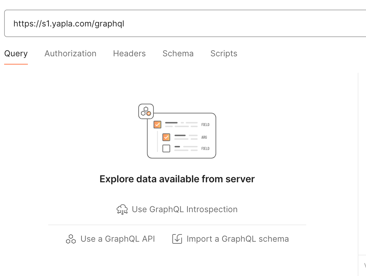
The server will then list the root fields whose data you can retrieve or manipulate. In GraphQL, these are the API entry points.
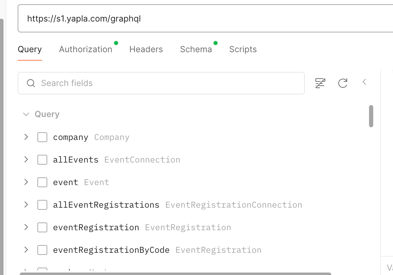
Available Operations
Yapla provides fields for two types of operations:
- Query – Retrieves data from the server. A query specifies which information is requested for the given field and can include arguments to refine the data retrieval.
- Mutation – Manipulates data on the server (create, update, delete). A mutation specifies which data to return after the operation and can also include arguments to detail the operation.
Note: With GraphQL, the server returns or modifies only the data requested in the query, which prevents over- or under-fetching.
To learn more about how GraphQL works, you can visit the GraphQL specification documentation.
Public and Private Fields
Among the root fields, not all have the same level of access:
-
Public fields: accessible without specific authentication or authorization. Used for data or operations that pose no security risk (e.g., displaying general information).
-
Private fields: protected by an authentication and/or authorization mechanism. Used to manipulate or view sensitive data, or to perform actions reserved for certain roles.