The email address for sending automatic communications is: no-reply@yapla.com and cannot be modified.
However, you have the possibility to edit the destination email when a person clicks on "reply" after receiving an automated communication.
Here are the steps to follow:
How do I change the reply email?
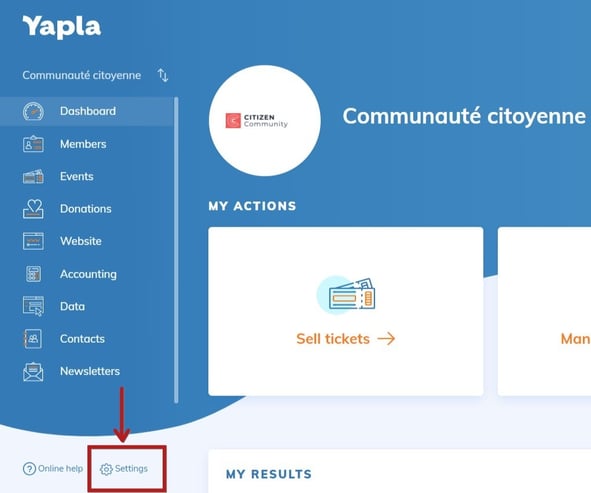
1 - From your dashboard, click on "Settings".
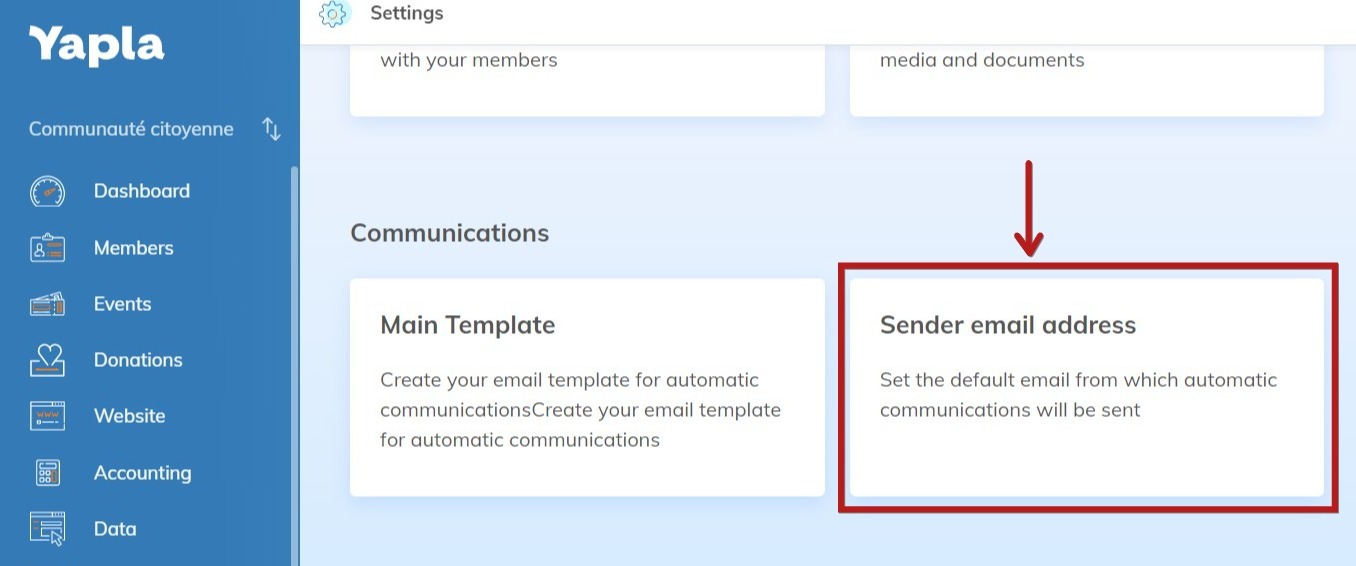
2 - Once in the "Settings" menu, scroll down and click on "Sender email".
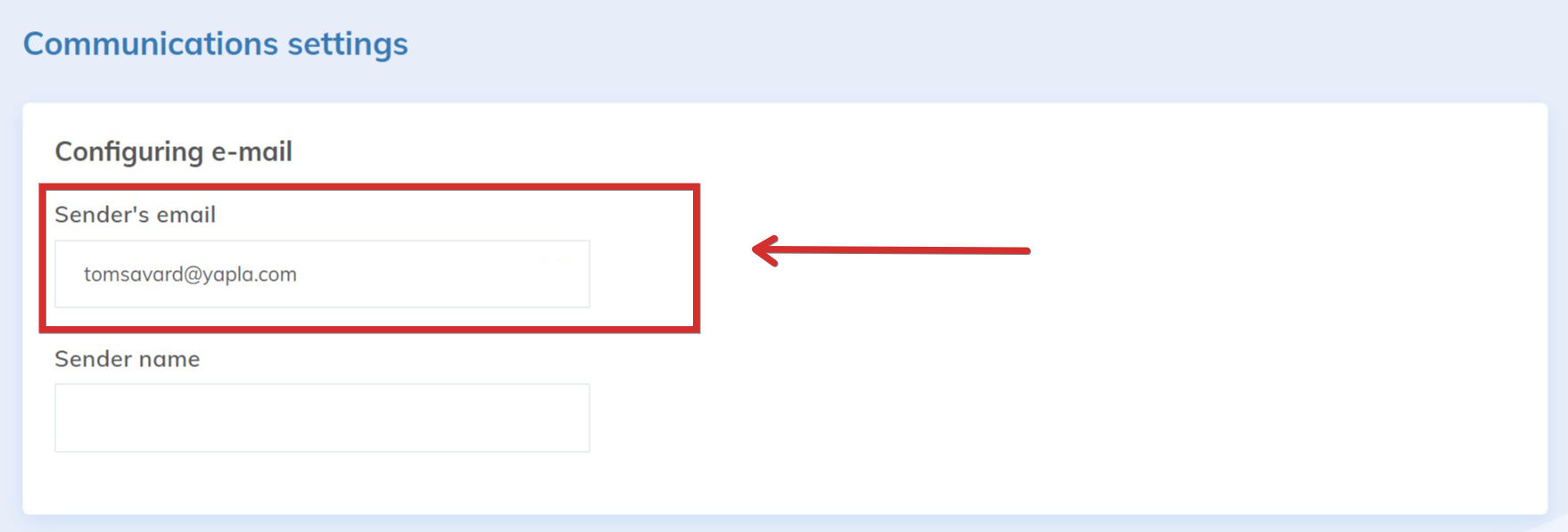
3 - In the field "Sender's email", you can indicate the email of reply.