
The Yapla Platform is open and allows automatic communication with other external software. Different techniques are used to synchronize data between different systems. Here's the documentation for these synchronization techniques.
Available methods
- APIs - API Documentation for members
- Webhooks - Add a webhook to synchronize an organization's events with software and Yapla
- Zapier - Synchronize your members with Zapier
- Excel Import - Manual data import into Yapla using a wizard.
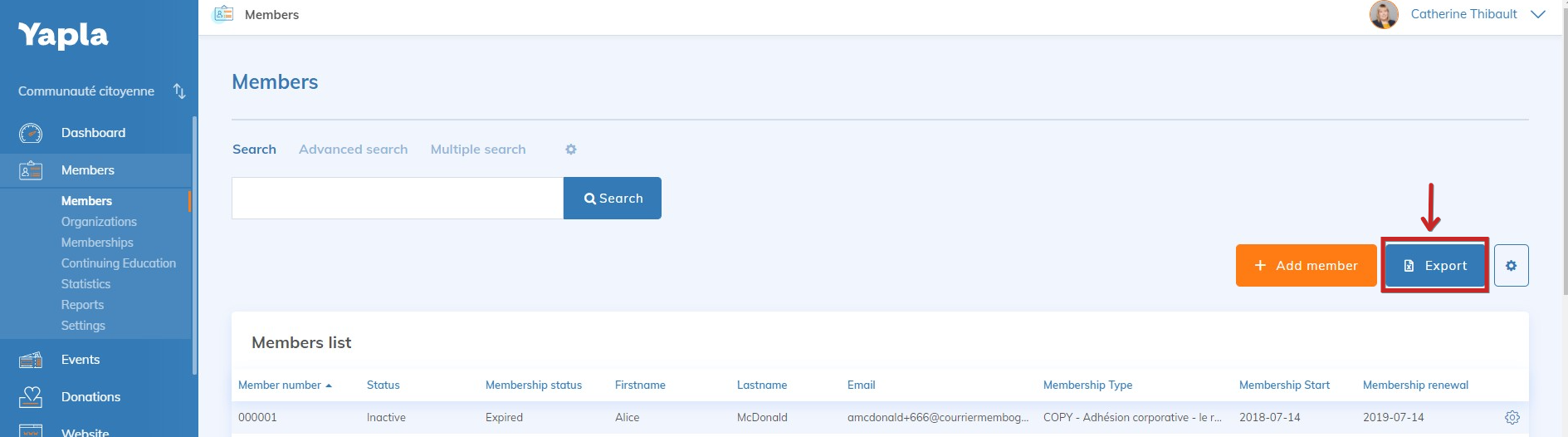
- Excel Export - Manual data export to reintegrate it into an external system.
Yapla API
Available starting from the Plus plan.
Our Member API documentation is available to help you synchronize your members. We recommend getting assistance from a programming expert to achieve this.
Documentation
openapi: 3.0.0
info:
  description:
    ## Members
    You will be able to obtain information about your members (first name, last name,
    email, status, member number, groups, etc.) as well as their memberships (start
    date, expiration date, membership status, etc.) for a given campaign.
  version: 1.0.0-oas3
  title: DATA API
  contact:
    name: API Support
    email: support@yapla.com
  termsOfService: https://yapla.ca/en/terms-of-use
servers:
  - url: https://data.s1.yapla.com/api/1.0
    description: "North America server"
  - url: https://data.s2.yapla.com/api/1.0
    description: "Europe server"
paths:
  /campaign/{campaignID}/members:
    get:
      tags:
        - Members
      summary: returns members and their memberships for a given campaign
      operationId: returnMember
      description:
        By passing the appropriate options, you can obtain information
        about members and their memberships for a given campaign.
        ### Campaign specifications
        To retrieve all members of a campaign, you must indicate the campaign ID.
        You can find it in the campaign URL. For an ongoing campaign,
        please enter 0.
        ### Token specifications
        The API key will be available in the Yapla account under Configuration / API.
        ### Pagination specifications
        By default, the API is paginated, so don't forget to indicate the page
        number as well as the number of results per page.
        The total number of results is not indicated, so you must iterate until
        you get an empty page. Results are listed from the most recent to the oldest.
        If a member is added during the call, they will be added to page 1.
      parameters:
        - in: path
          name: campaignID
          description: if the campaign is ongoing, put 0. Otherwise, indicate the campaign ID
          required: true
          schema:
            type: integer
            minimum: 0
        - in: query
          name: token
          description: enter the API key of your Yapla account
          required: true
          schema:
            type: string
        - in: query
          name: page
          description: indicate the desired page number
          required: true
          schema:
            type: integer
            minimum: 1
        - in: query
          name: locale
          description: response language (fr or en)
          schema:
            type: string
        - in: query
          name: per_page
          description: set the number of results per page
          required: true
          schema:
            type: integer
            minimum: 1
        - in: query
          name: email
          description: filter by a member’s email address
          schema:
            type: string
      responses:
        '200':
          description: results matching the search criteria
          content:
            application/json:
              schema:
                type: array
                items:
                  $ref: '#/components/schemas/MemberResponse'
        '400':
          description: invalid input parameter
components:
  schemas:
    MemberResponse:
      type: object
      properties:
        id:
          type: string
          description: Member ID.
          example: natBqZ8Ud5l5sdgAdlkNKVud
        numero_de_membre:
          type: string
          description: Member number.
          example: '0004317'
        firstname:
          type: string
          description: Member’s first name.
          example: John
        lastname:
          type: string
          description: Member’s last name.
          example: Doe
        email:
          type: string
          description: Member’s email address.
          example: emailMember@hiscompany.com
        member_language:
          type: string
          description: Member’s language.
          example: French
        statut:
          type: string
          description: Member’s status (active/inactive).
          example: active
        adhesion_name:
          type: string
          description: Membership type name.
          example: VIP membership
        adhesion_statut:
          type: string
          description: Membership status.
          example: validate
        adhesion_subscription_date:
          type: string
          description: Subscription date.
          example: '2018-01-01'
        adhesion_date_debut:
          type: string
          description: Membership start date.
          example: '2018-01-01'
        adhesion_date_renouvellement:
          type: string
          description: Membership renewal date.
          example: '2018-12-31'
        adhesion_type:
          type: string
          description: Membership processing type (first membership only/renewal only).
          example: Renewal only
        adhesion_identifiant:
          type: string
          description: Membership identifier.
          example: ADH-003
        Community:
          $ref: '#/components/schemas/Community'
        content-hash:
          type: string
          description: Hash code for the current object.
          example: -
            2c1665e2197c6d0f9e9ec9ac3de9cd7a5f4b8f1f56757015f44a5e77d0ec5638b095f0af68
            57c339f06478ac860d5b0c653787027da184fa6b4aca717bd01542
    Community:
      description: "Corresponds to the groups to which the member belongs. This includes Yapla system groups and custom groups."
      properties:
        id:
          type: string
          description: Group ID.
          example: '28222'
        name:
          type: string
          description: Group name.
          example: Active member
For more details, check out the following articles:
Webhooks
A webhook is an HTTP callback function, defined by a Yapla user, that retrieves data from an event. For example, it is possible to configure a webhook in Yapla that makes an HTTP call to an external system each time a member's record is modified. Events & donations.
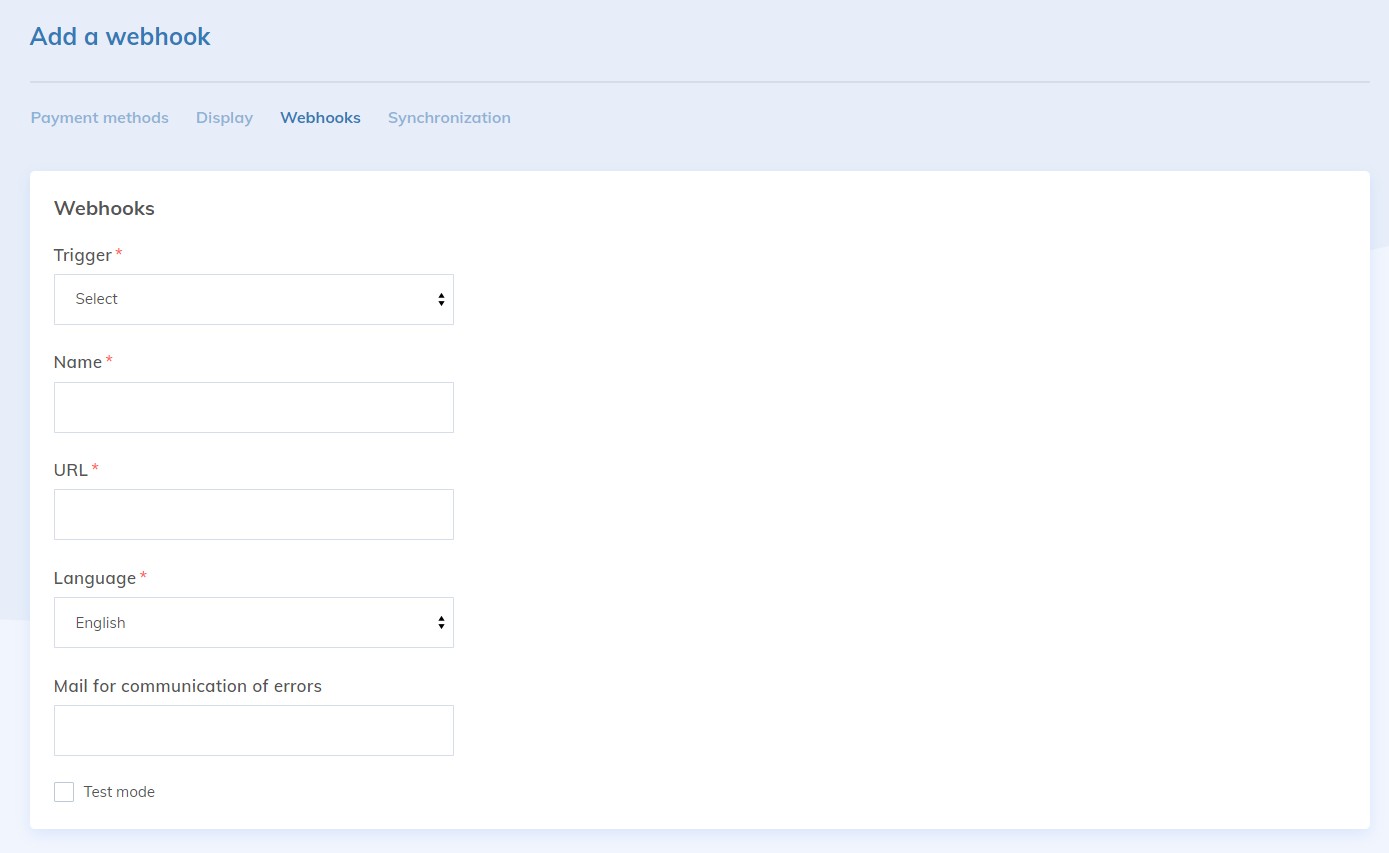
The called server, via a URL, receives a JSON structure containing all the information associated with the event. Calls can be secured by encrypting communications with an SSL certificate (HTTPS) from the called server.
Excel Import
For occasional synchronizations, we offer a manual import system to synchronize members, organizations and memberships.
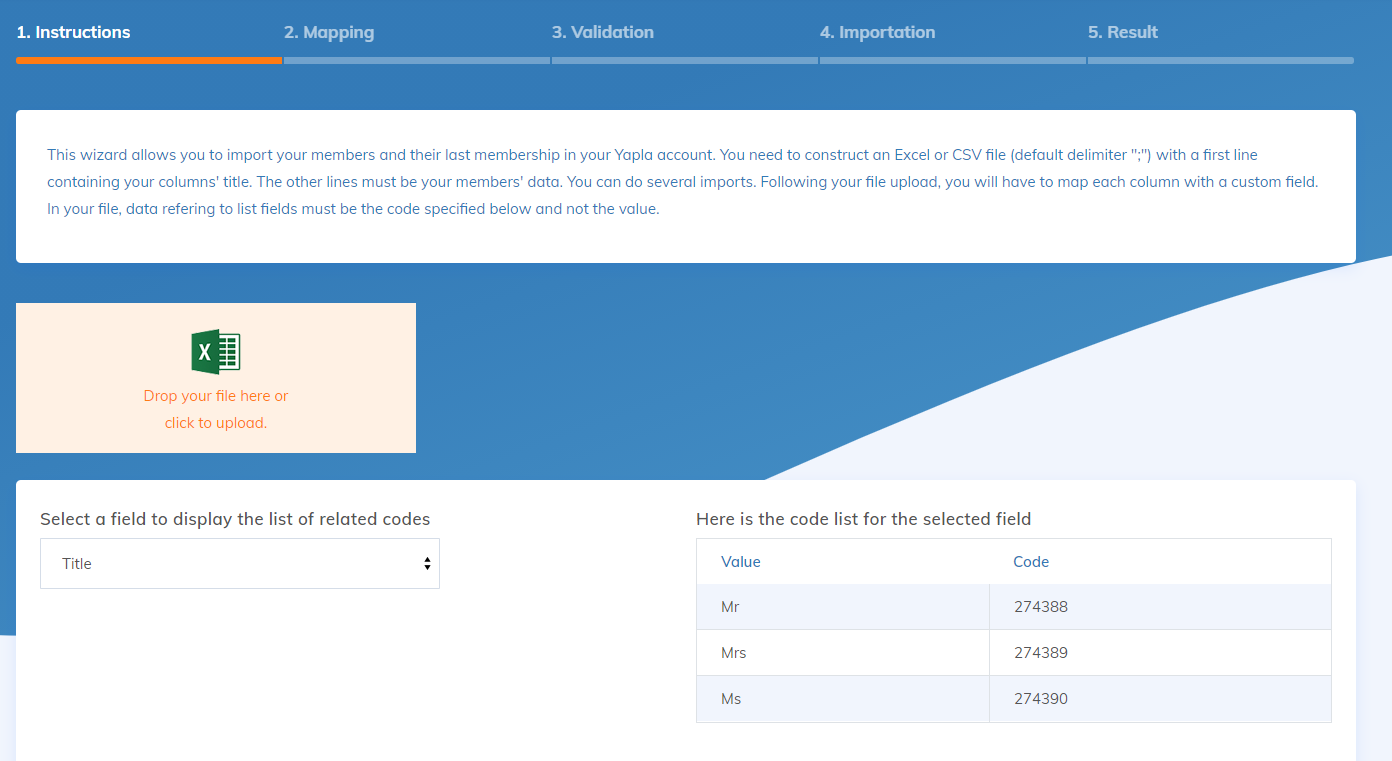
This tool is usually used during the initial configuration of the platform.
Excel Export
At any time, it is possible to export all the data of the members of a Yapla account. Simply use the "Export excel" button in the Members list.
Receiving external data to Yapla
The best way to synchronize members of an existing system with Yapla is to take the following steps:
- A manual synchronization that takes all the members at a specific time to bring them back into Yapla.
- After this first step, the external system must use the Yapla API to send the data of a specific member for each creation or update. This way, Yapla always has the latest data from the external system.
Send data to an external system
The principle is the same:
- the first step is to feed the existing members into the external system via an Excel export.
- After this first step, you just have to configure a webhook in Yapla that will call the external system at the two following events: "Create a member" and "Edit a member".
Bi-directional synchonization
It is possible to maintain Yapla and an external system synchronized at all times. However, a protection mechanism against infinite loops must be in place. Specifically, member modifications sent by Yapla must not be returned to Yapla.
If you have any questions on this topic, please contact support@yapla.com..