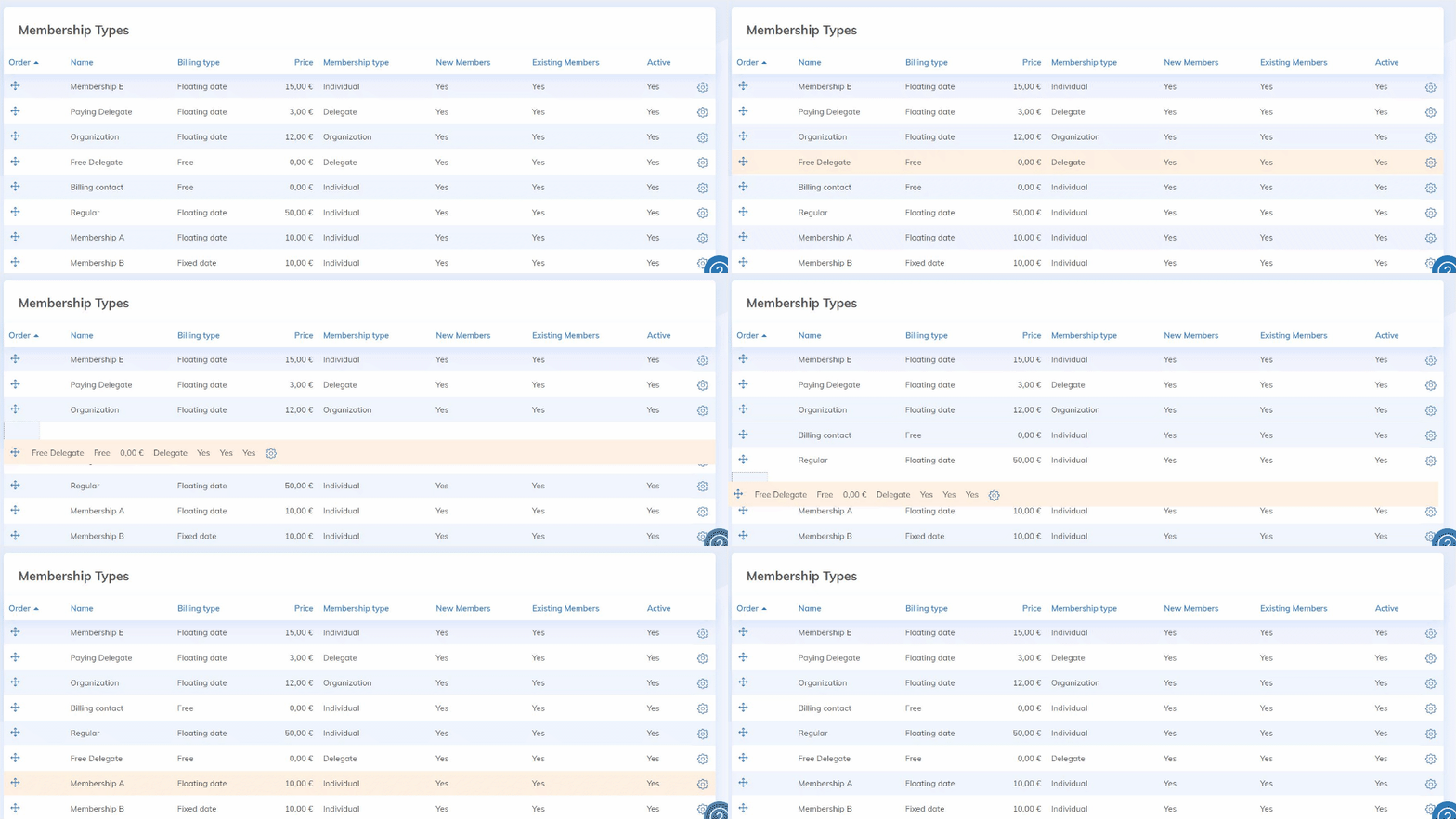
Determine the order in which your memberships are displayed on the registration and renewal forms.
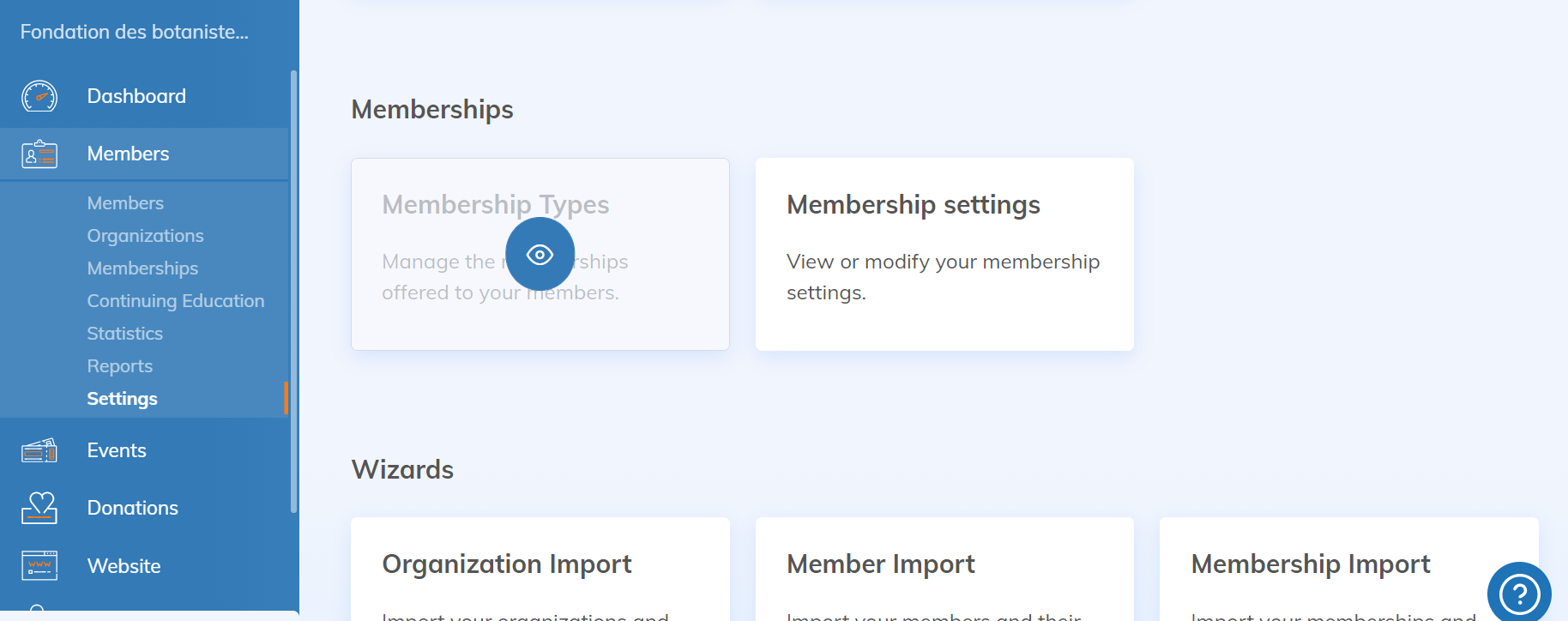
First, go to the "Membership Types" page in the Member Application Settings.
In the list of memberships, drag and drop them in the order you want them to appear (click on the  icon on the left). The change will automatically be made on your site.