Two-factor authentication, also known as two-step verification, double authentication or 2FA (two-factor authentication), is a secure authentication method that adds extra protection to your Yapla account. Once you've entered your login details, you'll be asked to enter a secret code to prove your identity. As this code changes each time you log on, it protects you against ID theft.
Activate double authentication in my account
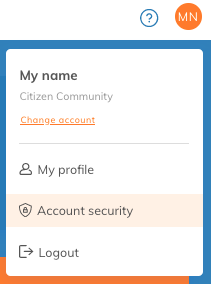
To activate double authentication, log in to your Yapla account and click on the icon with your initials or profile photo in the top right-hand corner of the screen. Select the Account security submenu.
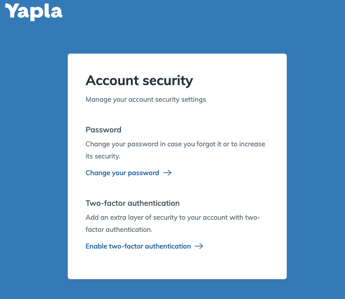
You'll be redirected to a page where you can change your password and account authentication. Click on Activate double verification to start the procedure.
Authentication requires the use of an authentication application, which will generate a different code every 30 seconds.
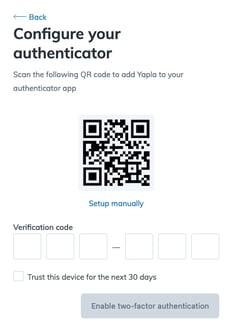
Add the QR code to your application, then enter the 6-digit code provided to activate double authentication.
Emergency codes
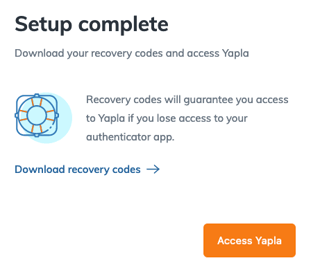
Once your authentication is complete, you need to download the emergency codes. These will allow you to access your account if you don't have access to your e-mail or password management application.
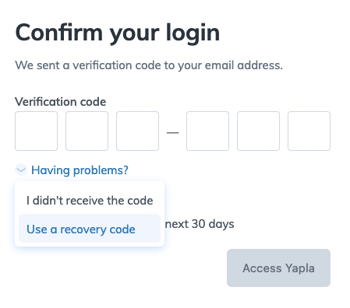
If you don't have access to your code, click on Need help and select the Use emergency code option. Enter one of the codes you downloaded earlier.
To force two-factor authentication
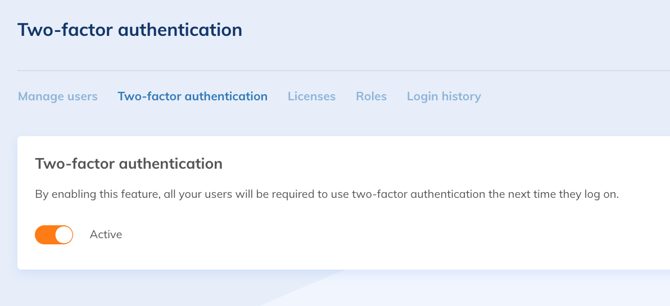
Go to Settings > Users and Licenses > Two-Factor Authentication and enable the option.