
If you are organizing an event with Yapla, you can offer your participants to register as a group. This feature applies to table registration, golf quartet or duo and any other group rate you offer. Please note that group pricing is currently not possible for events configured in Congress mode.
Configure group rates for your event
Once you have created your event, open the Rate list and click on the "Add a price" button.
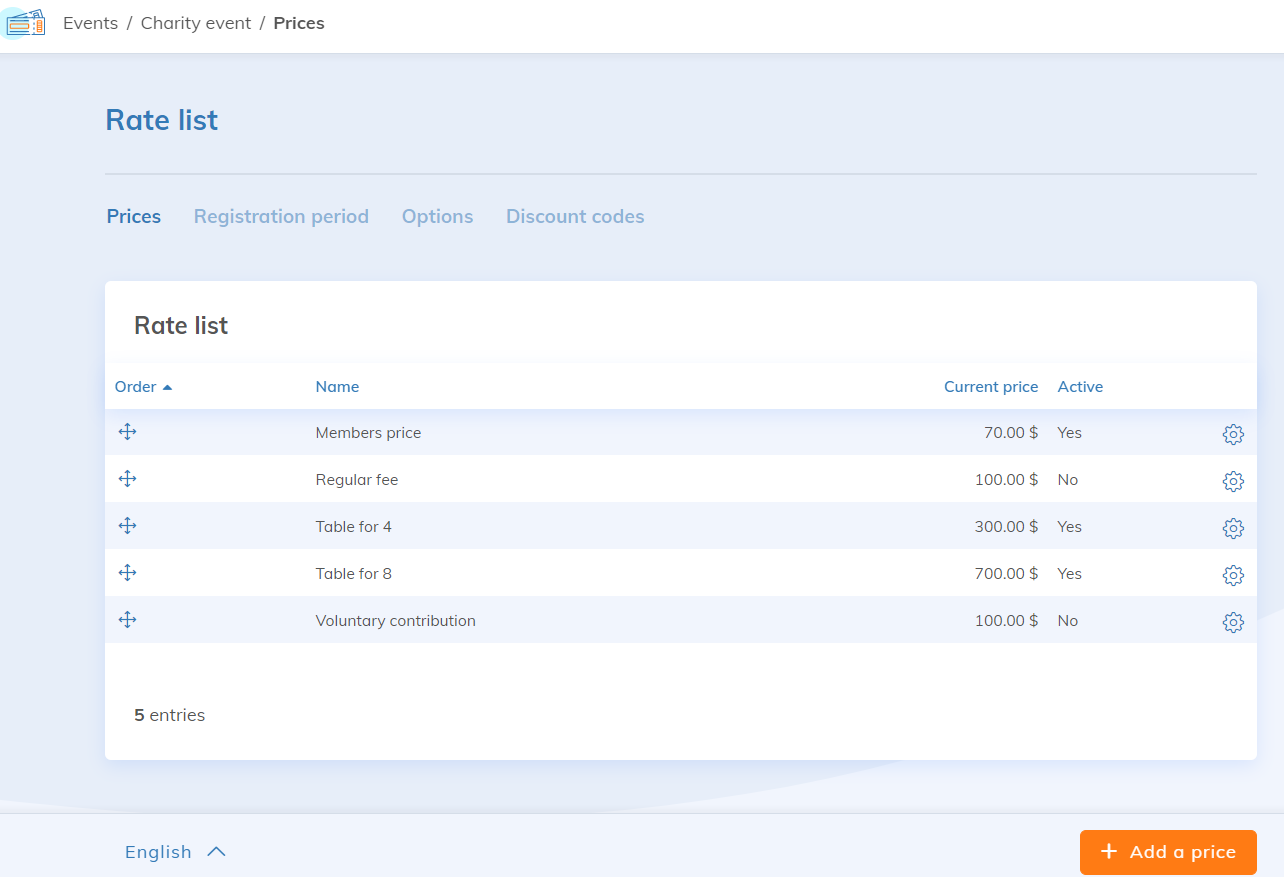
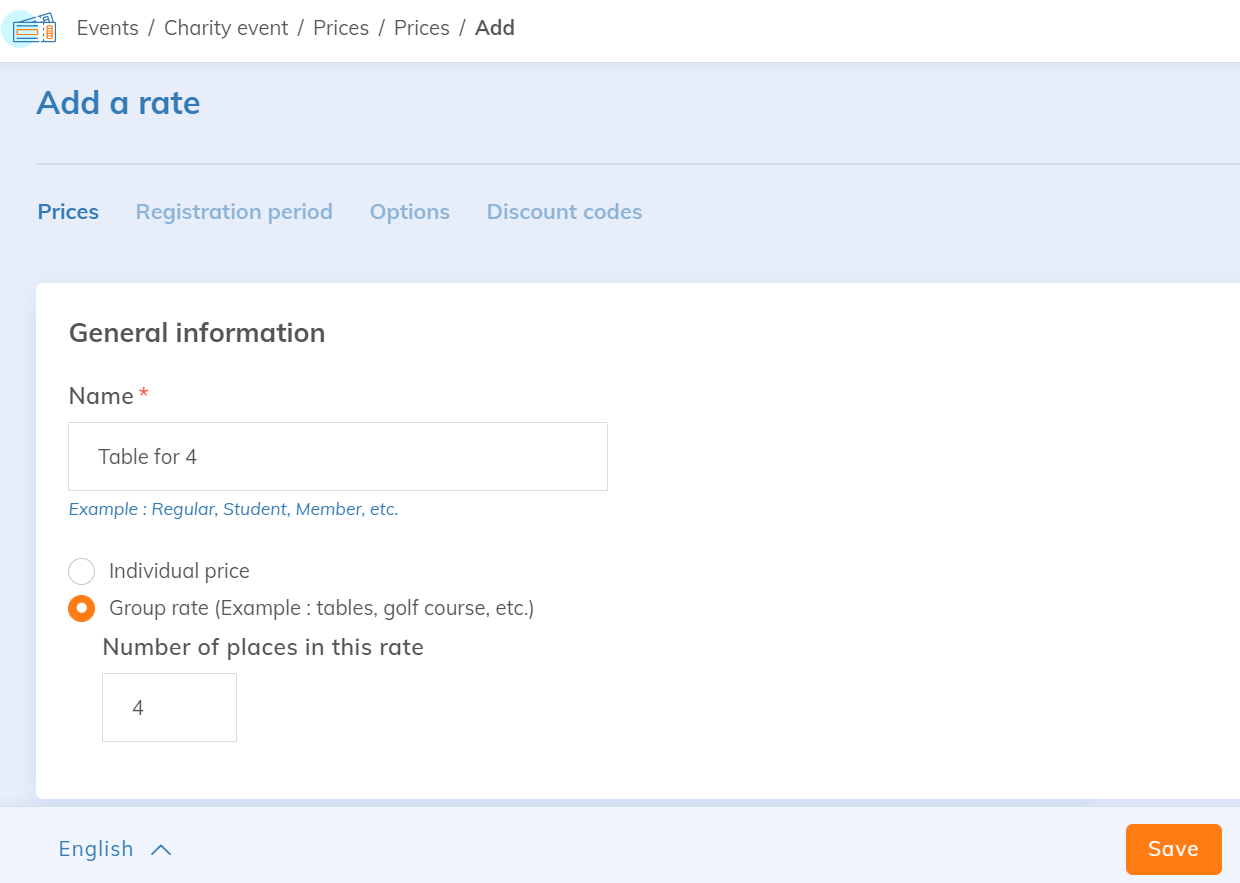
You are presented with two options:
- Individual rate: the rate is valid for one registration only.
- Group rate: the rate is valid for two or more registrations.
For the group rate, you have the possibility of specifying the number of places included with the rate. For example, if you specify "4," the rate of purchase will be valid for 4 people.
Registration on your website
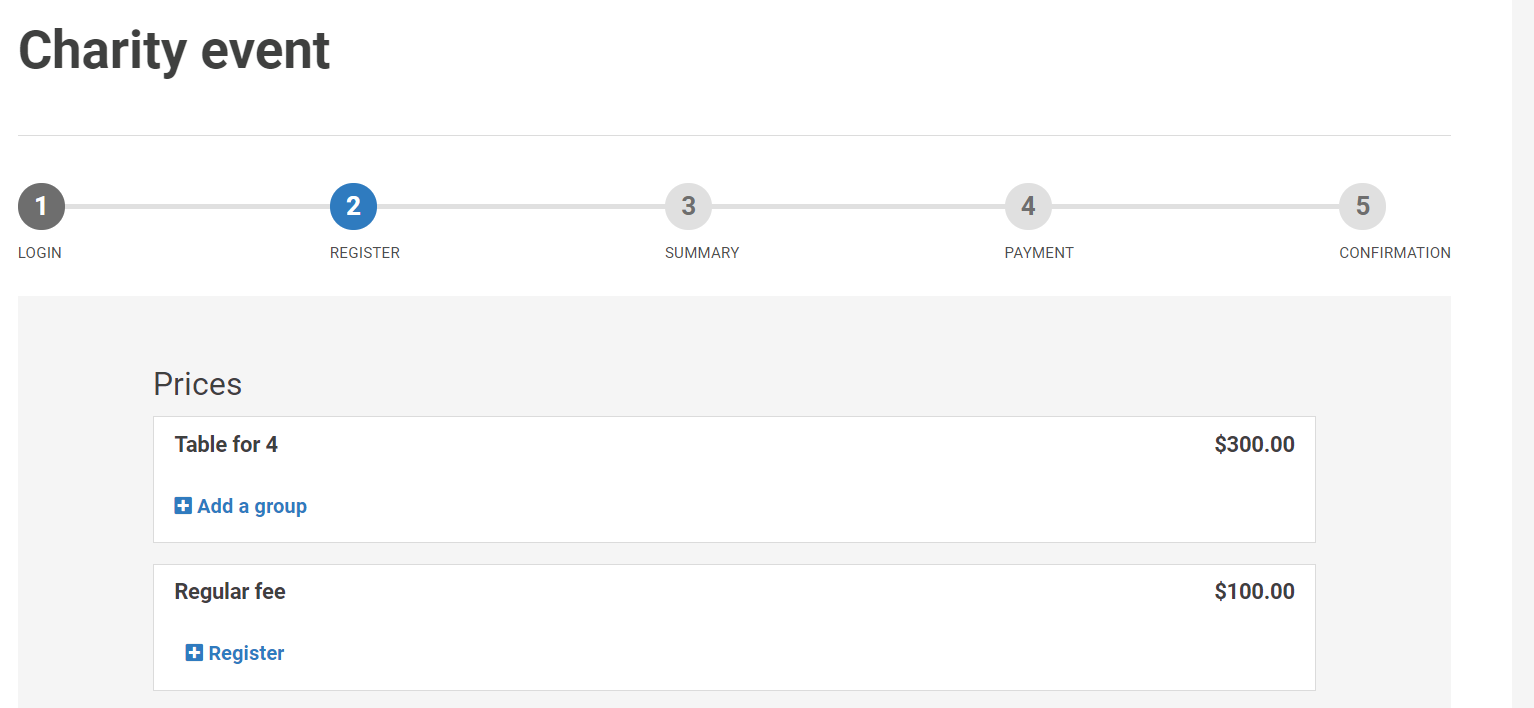
When you are at the registration step on your website, the "Add a group" button, under the desired rate, will allow you to enter the information of the first participant.
Once the first participant's form has been filled in, simply save and a table with the unidentified participants will appear.
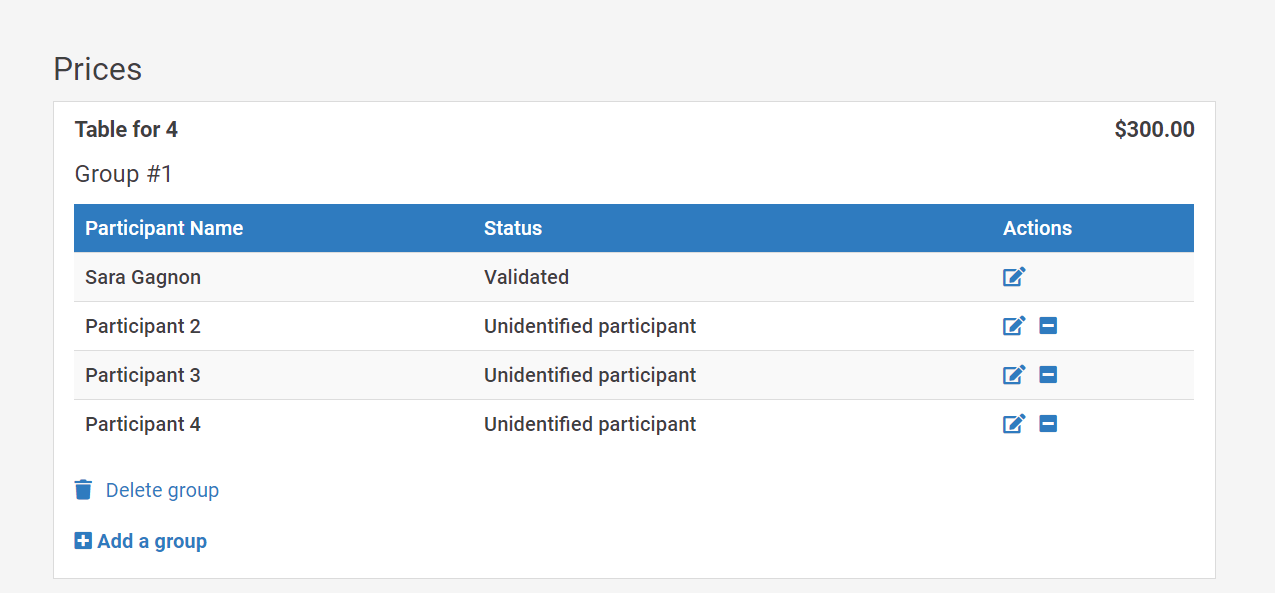
If you have information about the participants who will join the group of 4, click on the edit icon to fill in that participant's form.
Consult the registrations
In order to view the registrations for your event, you must go to the Event feature, select your event and then click on Registration.
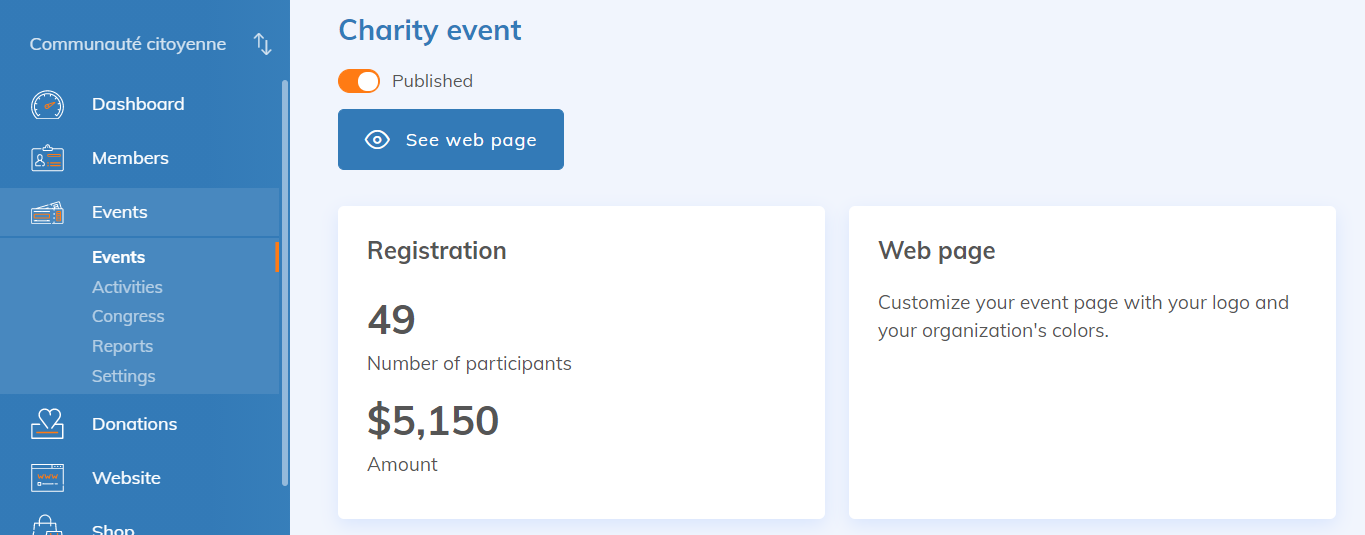
Once in the list of registrations, it is possible to quickly identify both individual and group rates, since the group rate is automatically assigned a group number.
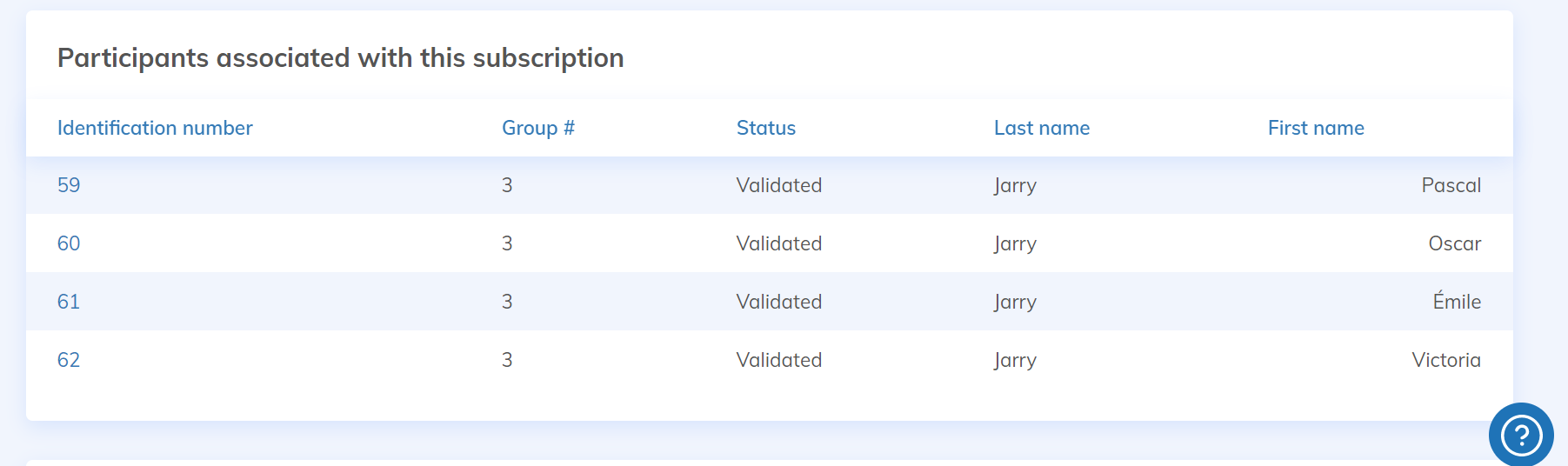
Also, please note that the rate is applied only to the first participant of the group and that additional participants will have a rate of $0.
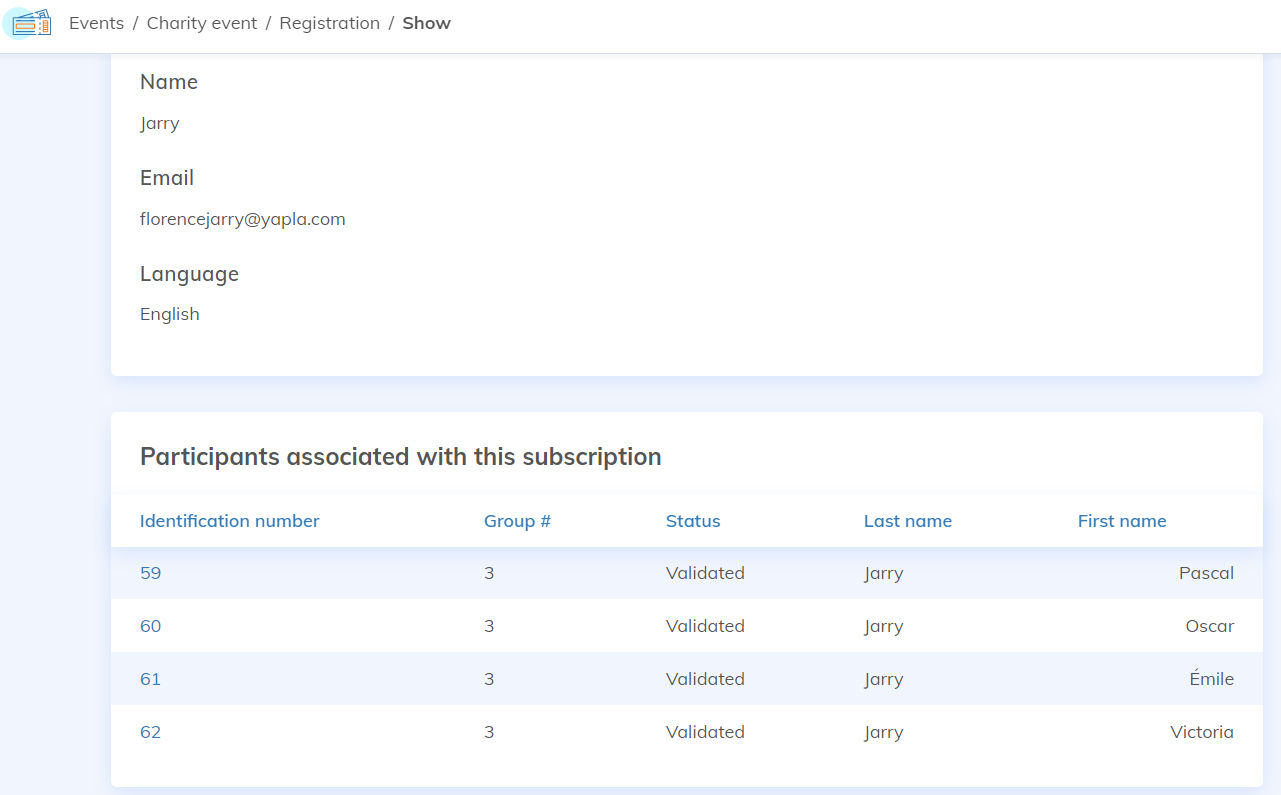
By clicking on one of the group's registrations, you will have the details of the registration as well as the people related to this group.
Go further
Here are some other useful articles to help you in putting an event with group rates online:
Creating donations from event registrations (fundraising event)
If you organize fundraising events with Yapla, you can offer your participants a tax receipt in the amount of your choice.
Rates management
Unless your registration is free, you will need to set up one rate or more before you can authorize online registrations for your event. Rates may vary depending on the registration date and the membership type the member has. It is also possible to associate one or more options with these rates.
Create and Manage Options
Options allow participants to select additional items when registering for an event. For example, participants could be offered a meal choice.
Forms Management
In all of the Yapla features, you can modify most of the forms required to use the platform. Forms are linked to different contexts and are built using custom fields. In the case of group rates, you may need a different form for each rate.