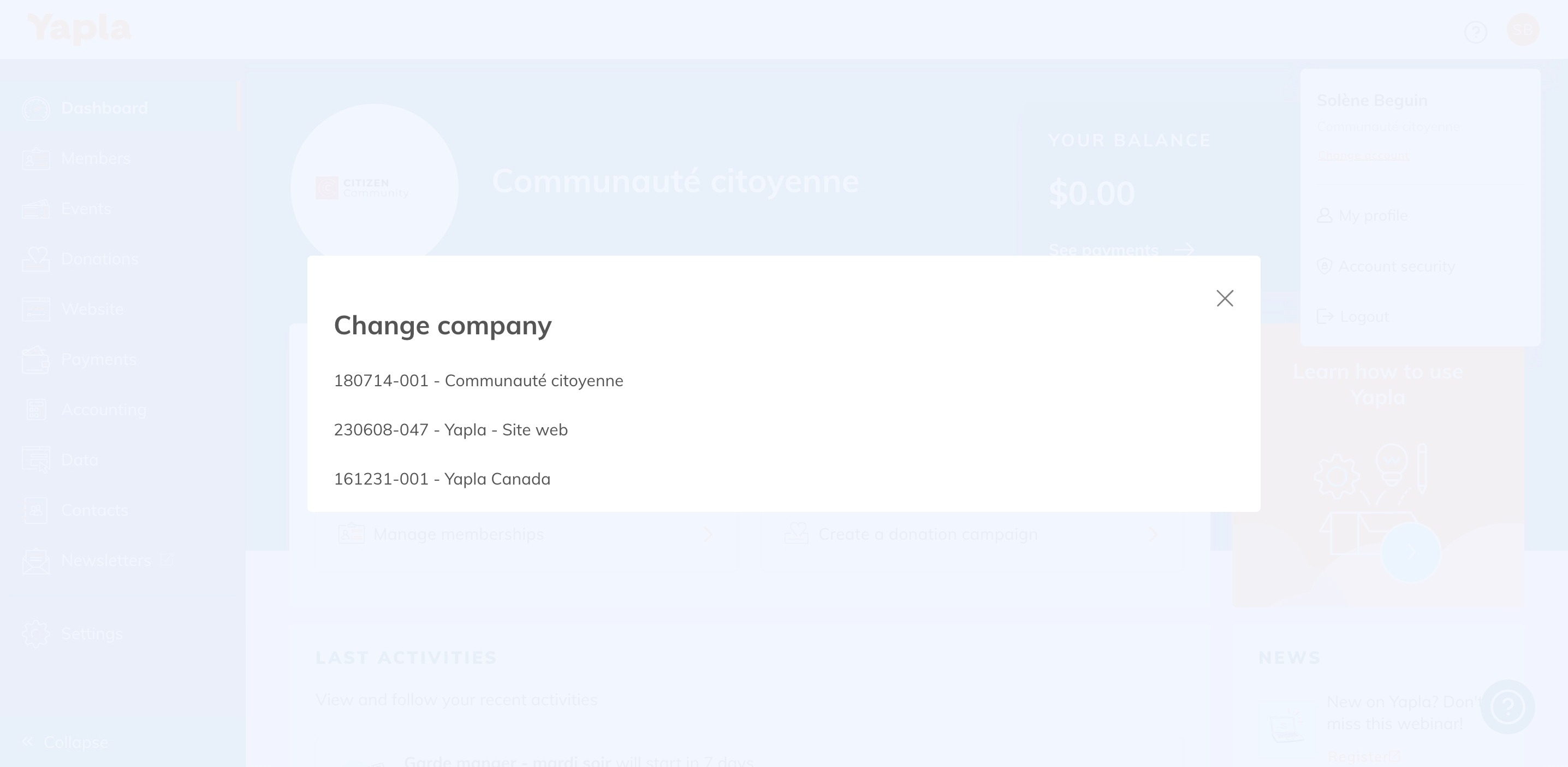
If you have several Yapla accounts with the same e-mail address, you can easily switch from one account to another.
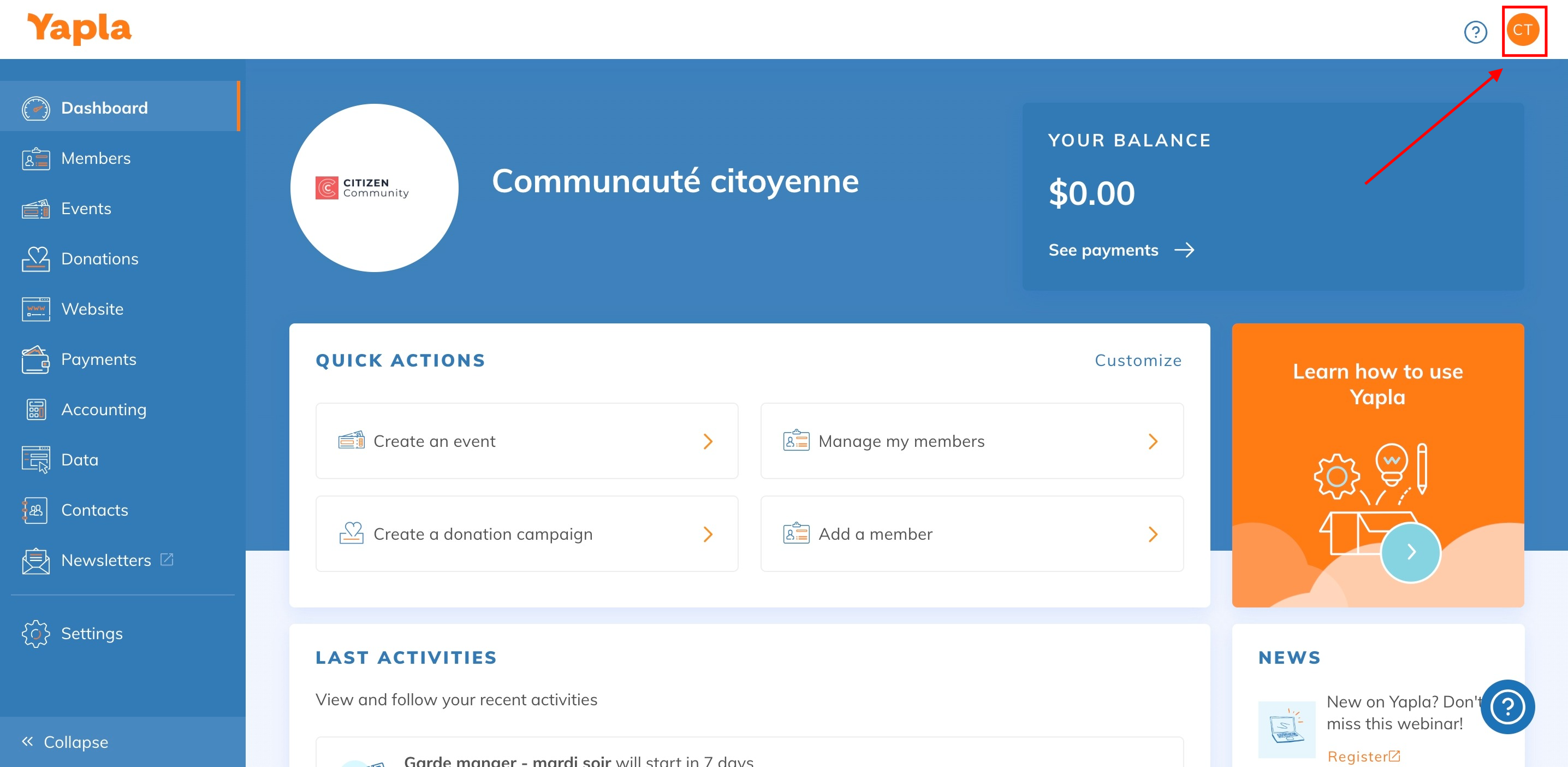
To do this, click on the logo with your initials in the top right-hand corner (see screenshot below):
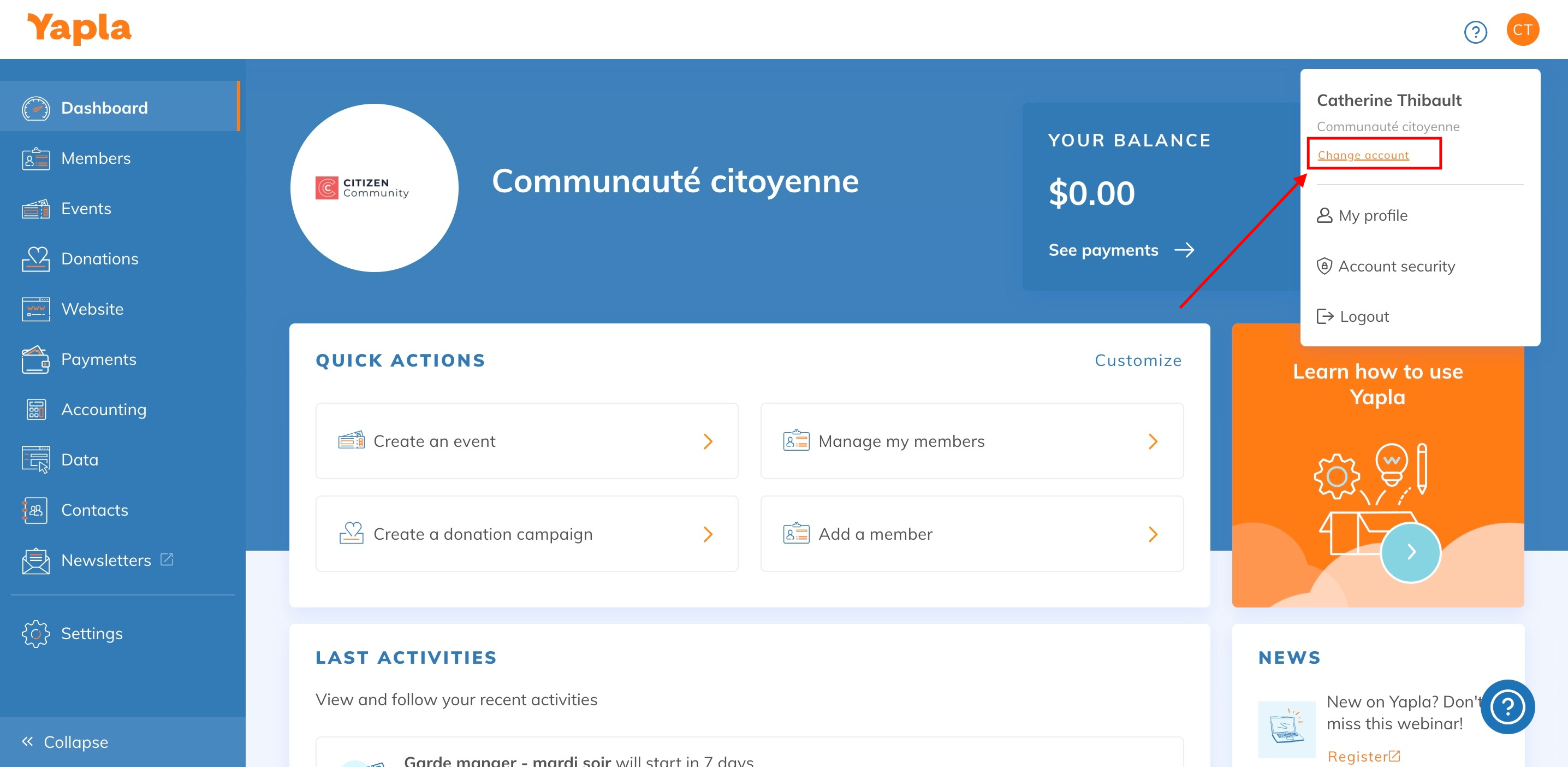
A small tab will then open, click on the "Change account" button (see below):
You can then select the account you wish to access (see below):