
Your subscription invoices are available online under Settings > Billing > Invoices and history.
In this article
View your invoices
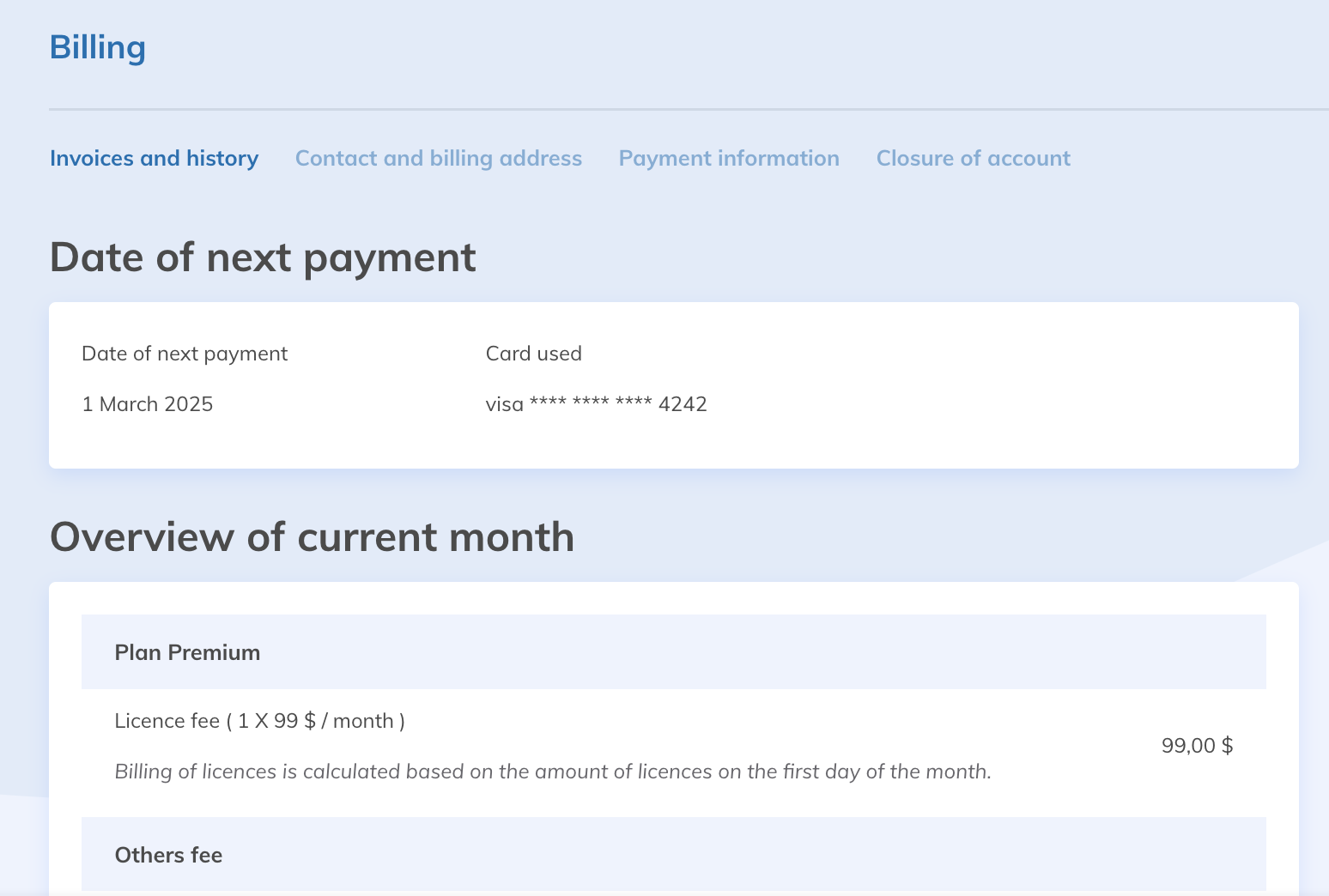
Go to Settings > Billing > Invoices and history. The page shows:
- Date of next payment: the date of the next charge and the card used.
- Overview of current month: your plan fees based on the number of licenses, other fees and an estimate of the next invoice (before taxes).
- The history of your invoices and payments.
Download or print an invoice
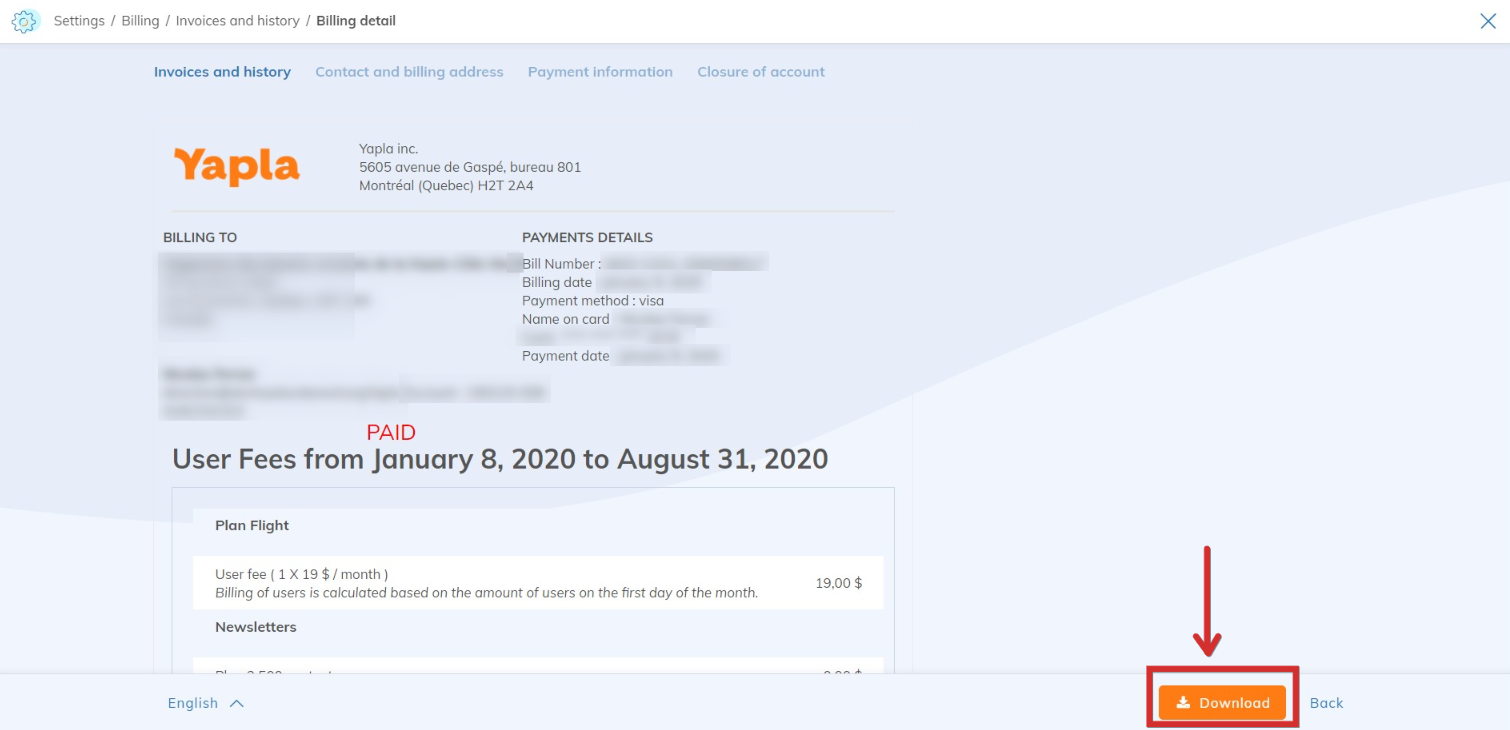
- In the history, click the invoice row to display its details.
- Click Download at the bottom of the page.
- Open the PDF file to save or print it.
Choose the language of your invoices
Invoices are available in English and French.
- Invoice sent by email: the email and the attached PDF follow your organization's default user language.
- Downloaded invoice: the PDF uses the language of your session at the time of download.
To change the language of the invoices sent by email:
- Go to Settings > Your organization > Language, Date & Currency.
- Choose the language in the Users default language field.
- Click Save.
This setting also defines the default language of the users of your account.