
Partial payment of a pending invoice is very useful for allowing your members to pay their membership invoice in multiple installments, or for allowing your participants to split their invoice into several transfers.
Prerequisites
To access partial payments, you must:
- Use accrual accounting.
- Process the payment on a pending payment transaction (Balance due), and the transaction must originate from the Members or Events features.
- Have disabled shopping carts for the relevant features under Payments > Settings > Shopping Carts.
Making a Partial Payment
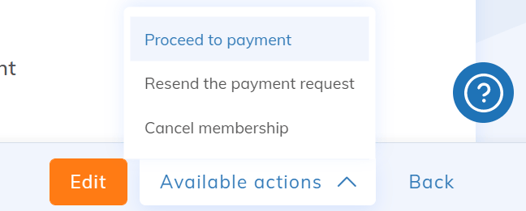
Find the pending payment transaction and proceed with the payment by selecting Available Actions > Proceed to Payment or Pay.
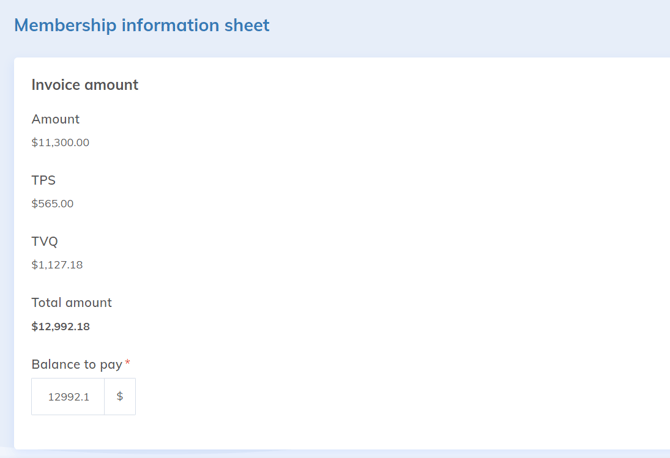
By default, Yapla fills the balance to be paid with the remaining sum so that the invoice changes to Paid status.
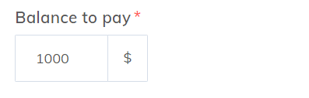
Modify the balance and enter the amount paid for this partial payment.
All payments made toward this balance are displayed in the transaction invoice under the Payments section.

When the balance reaches $0, the invoice status will change to Paid.